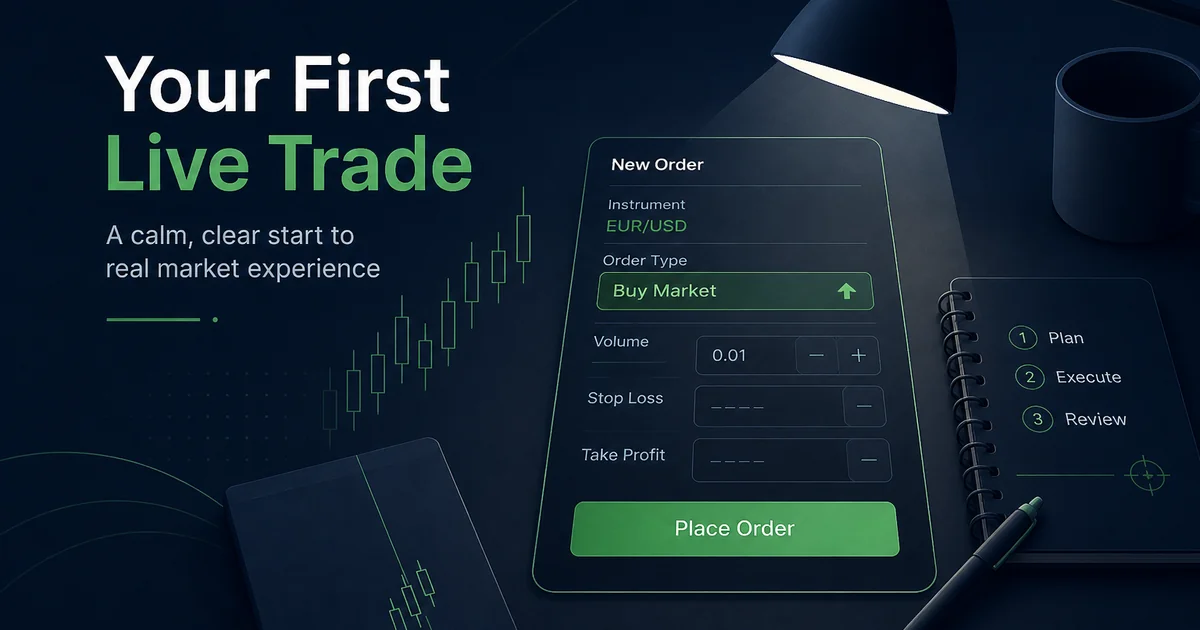
- Your first live trade is a process exam, not an income event
- Write cash risk, stop distance and lot size before you open the order ticket
- Prefer a major pair, 0.01 volume if it fits your cash cap, and a pre-set stop loss
- Confirm you are on the correct live server—demo login is not a live test
- Close the loop with a journal and a small withdrawal test before you top up
 Regulated Global Broker
 Trusted by 20M+ traders — open your account in minutes
- Trade 1,400+ instruments
- Country-based bonus offers where eligible
- MT4 & MT5 available
- Easy deposits and withdrawals
- Leverage up to 1000:1, where available
- Copy Trading: auto-copy expert strategy managers
- Practical Answer Framework
- Short Answer
- Detailed Explanation
- Example
- Common Mistake
- Professional Tip
- Quick Answer
- Why the First Live Click Matters More Than Any Indicator
- Pre-Trade Checklist (Complete Before Opening the Ticket)
- How to Size the First Trade (Cash Risk First)
- MT4 / MT5 Walkthrough: Place One Market Order
- Short Answer (steps)
- Detailed Explanation
- Pending Orders as an Alternative First Trade
- What “Good” Looks Like After the First Fill
- XM vs Exness: Practical Angles for Trade Number One
- 24-Hour Post-Trade Rules
- First-Live-Trade Checklist (Plain Bullets)
- Key Takeaways
- Glossary
- Related Reading and Future Cluster Topics
Affiliate & risk disclosure: ForexTradeLab may earn a commission from qualifying broker links. This does not change the price paid or replace independent checks. See the affiliate disclosure and risk disclaimer.
Practical Answer Framework#
Short Answer
Complete KYC, fund a training amount, open MT4/MT5 on the live server, choose a major pair, calculate a cash risk of about 0.5–1% with a written stop, open the smallest volume that fits (often 0.01), attach stop-loss and take-profit, place one planned market or pending order, journal the result, then test a small withdrawal before scaling deposits.
Detailed Explanation
A step-by-step 2026 guide to placing your first live forex trade on XM or Exness: pre-trade checks, lot sizing, MT4/MT5 market order, stop loss, take profit, journal rules and a small withdrawal test.
Example
$200 account, 1% cash risk = $2. If your stop is 20 pips on EUR/USD and pip value is about $0.10 per pip on 0.01 lot, 0.01 lot risks about $2—a workable first-ticket candidate when the math fits. If your stop needs 40 pips, skip or demo—do not force 0.01.
Common Mistake
If your stop needs 40 pips, skip or demo—do not force 0.01.
Professional Tip
Use the CFTC forex fraud advisory framing as a reminder that “easy money” content is not a plan.
Quick Answer#
Short Answer: Your first live trade is a controlled process check: live login → major pair → written stop → sized volume → attach SL/TP → one planned order → journal. Profit is optional; surviving the process with a clear risk number is mandatory.
Detailed Explanation: XM and Exness both give beginners low entry capital and MetaTrader access, which is exactly why first-trade mistakes are so common. People fund, then click Buy with an oversized lot because free margin “looks fine.” Leverage shows how much notional you can open; it does not tell you how much cash you will lose if the stop hits. Size from cash risk, not from free margin. Pair this guide with the first deposit checklist and the demo-to-real roadmap.
Example: $200 account, 1% cash risk = $2. If your stop is 20 pips on EUR/USD and pip value is about $0.10 per pip on 0.01 lot, 0.01 lot risks about $2—a workable first-ticket candidate when the math fits. If your stop needs 40 pips, skip or demo—do not force 0.01.
Common Mistake: Opening gold, news red-folder entries, or 0.10 lot “just to feel it” on day one.
Professional Tip: Write a one-line rule on a sticky note: “Max cash risk per trade: X. Max trades today: 1. No gold. No revenge.”
Risk warning: Forex and CFDs are leveraged products. You can lose money quickly. This page is educational process guidance, not investment advice and not a deposit recommendation. Read our risk disclaimer. Entity, spreads, leverage and instrument specs depend on your country and live broker terms.
Why the First Live Click Matters More Than Any Indicator#
Short Answer: The first live fill trains your nervous system. If you start with chaos, you teach yourself chaos.
Detailed Explanation: Demo teaches buttons. Live teaches consequences. Spreads, partial fills (on some instruments/conditions), slippage around volatile minutes, and real-money emotion appear only after funding. Regulators repeatedly warn that retail CFD outcomes are often unfavourable for the average client; treat that as a reason for small size, not as marketing noise. Use the CFTC forex fraud advisory framing as a reminder that “easy money” content is not a plan.
Example: Two beginners fund $100. Trader A risks $1 with a stop, journals and quits for the day. Trader B opens 0.20 lot on gold after a TikTok clip. Trader B is not “more serious”—Trader B is running a different game.
Common Mistake: Judging broker quality from one first-trade loss. A planned micro loss is tuition; an unplanned oversized loss is self-sabotage.
Professional Tip: Your broker review for week one is: Could I log in, size correctly, attach a stop, close cleanly and request a small withdrawal? That is the operational grade—not the P/L colour.
Pre-Trade Checklist (Complete Before Opening the Ticket)#
Short Answer: If any item fails, do not open a live order. Fix the process first.
| # | Check | Pass means |
|---|---|---|
| 1 | KYC status | Identity/address approved enough for normal withdrawals |
| 2 | Funding ownership | Card, bank or wallet is in your name |
| 3 | Legal entity | You know the company named in the client agreement |
| 4 | Account type | Micro/Standard/Ultra Low (XM) or Standard/Pro/Zero/Raw (Exness)—you chose on purpose |
| 5 | Leverage setting | Cap is written and lower than “maximum available” if max is dangerous for you |
| 6 | Platform server | Live account login, not leftover demo connection |
| 7 | Cash risk rule | 0.5–1% (or less) of equity stated in account currency |
| 8 | News filter | No red high-impact event in the next ~30–60 minutes for your pair region |
| 9 | Instrument | Major pair first (EUR/USD or similar), not gold |
| 10 | Exit plan | Invalidation stop + planned target or time exit written |
Detailed Explanation: XM flows usually centre on Members Area → MT4/MT5 credentials; Exness flows centre on Personal Area → trading terminal credentials and account type. Exact labels change by region. For onboarding detail, use XM account opening, Exness account types, and what to do after you deposit on XM. If you still need platform install steps: XM MT4 setup, XM MT5 setup, Exness MT4 setup, Exness MT5 guide.
Example: You verified the server name ends in a live (not demo) cluster and the account number matches Members Area / Personal Area. Only then do you open Market Watch.
Common Mistake: Trading from a phone while boarding transport—one-handed mistakes on one-click are expensive.
Professional Tip: Disable one-click trading until you can place a full ticket deliberately without panic.
How to Size the First Trade (Cash Risk First)#
Short Answer: Stop distance decides lot size. Free margin is not permission to size up.
Detailed Explanation: Sequence:
- Decide cash risk (example: 0.5–1% of equity).
- Mark invalidation on the chart (where the idea is wrong).
- Measure stop distance in pips.
- Use a pip/margin calculator (XM All-in-One Calculator, or your platform’s margin display for Exness account currency).
- Round volume down.
- If minimum volume still exceeds cash risk, do not trade live.
| Account equity (example) | Cash risk 1% | Stop 20 pips (EUR/USD educational) | Approx. first volume idea |
|---|---|---|---|
| $100 | $1 | 0.01 lot ≈ $2 at $0.10/pip | Often too large → demo or skip |
| $200 | $2 | 0.01 lot ≈ $2 | Candidate if stop really is 20 pips |
| $500 | $5 | 0.01–0.02 lot depending on stop | Prefer smaller edge of range |
Always confirm pip value for your symbol, contract size and account currency. See position size calculator guide, lot sizes for $100–$500, and how many lots with $100 on XM.
Example: Equity $300, risk 0.5% = $1.50. If 0.01 on your major risks $3 at that stop, you skip. Waiting is discipline—not failure.
Common Mistake: Raising leverage to “make the order acceptable on margin” while keeping an oversized stop. That fixes margin display, not ruin risk. Read how much you can lose at high leverage and the XM leverage guide / Exness leverage guide.
Professional Tip: For trade #1, optimise for boring. Boring is survivable.
MT4 / MT5 Walkthrough: Place One Market Order#
Short Answer: Build the order completely—volume, SL, TP, side—then send once.
Short Answer (steps)#
- Open Market Watch → right-click → Show All if needed.
- Open the major symbol chart.
- F9 (or New Order).
- Confirm Symbol and Volume.
- Set Stop Loss and Take Profit prices (or attach immediately after fill if your workflow demands it—never leave unprotected on purpose).
- Review side: Buy = long base currency; Sell = short.
- Click Buy/Sell for market, or place pending if that was the plan.
- Confirm the position appears in Trade / Toolbox and matches your written plan.
Detailed Explanation
Volume field: Enter 0.01 or your calculated micro size—not “max” suggested by UI.
Stop Loss: Price of invalidation. Learn placement logic in how to set stop loss and take profit.
Deviation / slippage setting: Keep sensible for majors; do not “unlimited” yourself into news disasters.
Comment field (optional): Code the setup briefly (L1-EUR-structure) so your journal reconnection stays easy.
Exness Terminal / XM app paths differ slightly, but the same fields appear: instrument, volume, SL, TP, direction. If symbols look “missing,” enable Market Watch visibility or check whether the instrument is offered for your entity.
Example: Planned long EUR/USD. Invalidation 20 pips below entry zone. Volume 0.01. TP at ~1:1.5 or next structure. Ticket matches plan → send. Ticket differs → cancel, fix math.
Common Mistake: Moving the stop farther after fill because “it almost hit.” That converts a defined risk into an undefined account problem.
Professional Tip: After the fill, screenshot the open position row (privacy: hide full account number if sharing). Your future self needs evidence of what you actually did.
Pending Orders as an Alternative First Trade#
Short Answer: A pending order can reduce impulsive market clicks—if you still size and stop first.
Detailed Explanation: Buy Limit / Sell Limit / Buy Stop / Sell Stop let price come to you. That can improve discipline, but it does not remove gap or spread risk. Learn order types in our forex order types guide and order types guide.
Example: You will not watch charts for three hours. You set a Buy Limit at support with fixed SL and volume that fits cash risk, then walk away. Either it fills under plan or it never becomes an order.
Common Mistake: Stacking five pendings that can all trigger in the same news impulse.
Professional Tip: For the first week, one working risk at a time.
What “Good” Looks Like After the First Fill#
Short Answer: Rule adherence beats P/L colour on trade number one.
| Outcome | Good process signal | Bad process signal |
|---|---|---|
| Win | Stop was valid; size correct; no victory rebuy | Instant double size |
| Loss | Stop hit as planned; journal done | Undo stop, average down |
| Scratch | Closed early for rule (news, bad mood) | Random flat with rage |
Detailed Explanation: You are measuring skill of execution, not “edge revealed in one trade.” Edge needs samples and expectancy thinking—see forex expectancy.
Example: Stopped for −$2 after following the plan = A-grade process day. +$8 after increasing size mid-trade = failed process day even if green.
Common Mistake: Scaling deposit after one green trade “because the system works.”
Professional Tip: Schedule a small withdrawal test before your second top-up. Money-out confirmation beats P/L brag posts.
XM vs Exness: Practical Angles for Trade Number One#
Short Answer: Both can execute a clean micro first trade. The fit is operational: entity, payments, account menu, your risk settings.
| Angle | What to verify live | Why it matters for first trade |
|---|---|---|
| Account type | Spread/commission model | Affects effective cost on a tight scalp |
| Minimum volume | Symbol specification | May force skips if risk budget is tiny |
| Leverage UI | Members Area / Personal Area | High max ≠ recommended first setting |
| Calculator tools | Broker calculators + ticket margin | Confirms pip value before click |
| Payments | Deposit method you can also withdraw with | Completes the operational loop |
| Platforms | MT4 / MT5 / proprietary apps | Workflow comfort reduces mis-clicks |
For structure choices: best XM account type for beginners, Exness cost break-even, and XM vs Exness.
Example: You need local-currency withdrawals and a very small training deposit—inspect the live deposit/withdrawal screens, not a screenshot from 2023.
Common Mistake: Choosing the broker with the highest advertised leverage for a first $50 account.
Professional Tip: Open inspection routes only after the checklist:
Optional XM partner field FXTRD is attribution only—it does not change spreads, risk, or fill quality. See XM partner code guide.
24-Hour Post-Trade Rules#
Short Answer: Protect the sample. One planned micro risk is enough data for day one.
- Journal setup, emotion score (1–5), spread at entry, whether SL was attached pre-send.
- Do not revenge with a second trade the same day if loss was process-valid.
- No new deposit for at least 24 hours.
- Replay the chart—was invalidation real structure or a random pip count?
- If process grade was poor, return to demo / Exness demo until 10 clean tickets.
- If process grade was clean, continue the after-deposit week plan rhythm.
Detailed Explanation: Serial small errors beat one random hero trade for learning speed. Pair psychology with why overtrading kills accounts.
Example: You took one micro trade at London open, journaled, closed the platform, and ran life. That is what sustainable looks like at the start.
Common Mistake: Leaving the mobile app open all evening “just watching,” which becomes three unplanned taps.
Professional Tip: Log out after the planned trade. Friction is a feature.
First-Live-Trade Checklist (Plain Bullets)#
- Confirm country eligibility and legal entity on the live site
- Complete KYC before stressing about larger funding
- Deposit a training amount you can fully lose (first deposit guide)
- Cap leverage below maximum if max encourages oversized lots
- Install MT4/MT5, log into the live server, verify account number
- Enable symbol specs; confirm tick/point and minimum volume
- Choose EUR/USD (or another major you already practised)
- Write stop price, target or exit rule, cash risk
- Calculate volume; round down; skip if minimum exceeds risk
- Disable one-click until deliberate ticket skill is solid
- Attach stop loss before or as part of the order send
- Place one planned order only
- Journal immediately
- Plan a small withdrawal test before scaling
Key Takeaways#
- The first live trade is a systems test, not a payday.
- Cash risk and stop distance set volume; free margin does not.
- Majors + micro size beat gold fireworks on day one.
- Attach stops, journal fills, avoid news chaos.
- XM and Exness succeed for beginners who verify entity and process—not those who chase max leverage.
Glossary#
| Term | Meaning |
|---|---|
| Market order | Immediate buy/sell at available price |
| Stop loss | Pre-set exit that limits cash damage if invalidation hits |
| Take profit | Pre-set exit at a planned reward level |
| Lot / volume | Contract size multiplier (0.01 = micro on many FX symbols) |
| Margin | Collateral locked while a position is open |
| Free margin | Equity minus used margin |
| Slippage | Difference between expected and filled price |
| Live server | Trading server linked to real-money accounts |
Related Reading and Future Cluster Topics#
- How much capital to start
- XM vs Exness spread comparison
- Margin call and stop-out survival
- Balance, equity, free margin, margin level
- Suggested follow-ups: partial close & break-even on MT5; news blackout rules by session; dual-account risk isolation
Affiliate disclosure: ForexTradeLab may earn a commission if you open or fund an account through our tracked XM or Exness links. That does not change trading costs for you and never replaces your own entity, leverage and payment checks. Education first—deposit only money you can afford to lose.
Optional next step after demo competence: Inspect XM onboarding or Inspect Exness onboarding. Verify your country, legal entity, platforms and funding screens yourself before any live order.
Final risk note: Most retail CFD accounts lose money. High leverage multiplies mistakes. Nothing on this page promises profit. Confirm every number in your live platform before you click Buy or Sell.
Comments
Add a useful note for other traders. We review comments before publishing.