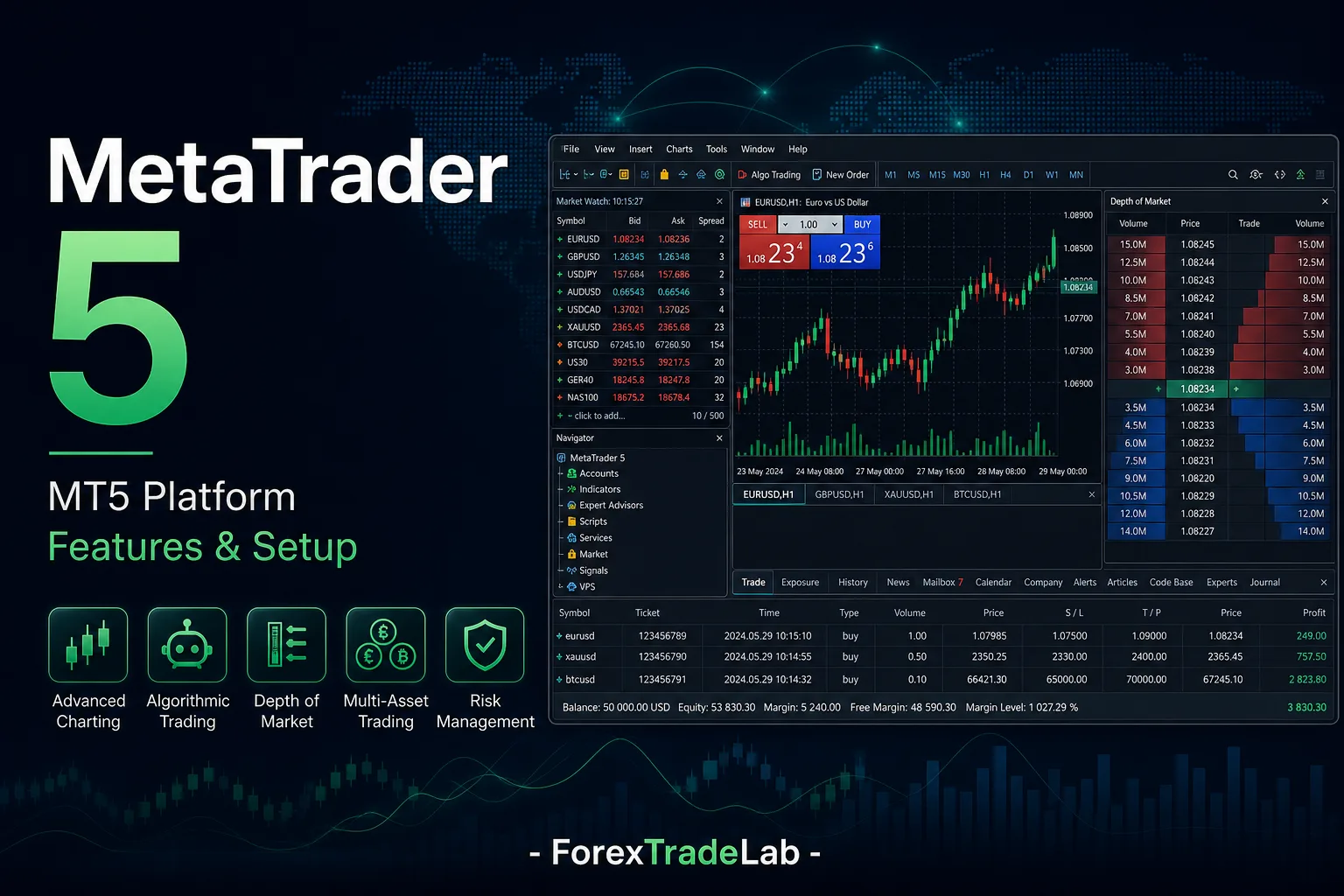
- MetaTrader 5, or MT5, is a multi-asset trading platform from MetaQuotes. Brokers can use it to offer forex, CFDs, exchange-traded products or other instruments subject to their licences and product lists.
- Read the written broker terms before funding an account
- Use defined cash risk and realistic cost assumptions
- Educational content, not personal investment, legal, or religious advice
MetaTrader 5: direct answer#
Short Answer
MetaTrader 5 is trading software for charts, orders and automation; the broker account determines prices, symbols, fees and execution.
Detailed Explanation
MT5 has a different programming environment from MT4, and logins are tied to specific broker servers.
Example
Two MT5 installations can show different spreads and symbol suffixes because they connect to different brokers.
Common Mistake
Treating MT5 availability as proof of broker regulation or identical execution.
Professional Tip
Verify server, symbol specification and order rules in demo before importing an EA or funding.
Introduction#
MetaTrader 5 (MT5) is a multi-asset trading platform from MetaQuotes. A broker can use it to provide forex, CFDs, exchange-traded products or other instruments, subject to that broker’s licences, product list and account terms. MT5 supplies charts, order management, MQL5 automation, a strategy tester, depth-of-market displays where supplied, and supported mobile or web access. It is not itself a broker and does not determine the legal nature, costs or risk of an instrument.
This guide focuses on using MT5 as an operating environment rather than treating its interface as evidence of a suitable account. Compare it with MetaTrader 4 and MT4 vs MT5, then use the backtesting, technical analysis and risk management guides to build a controlled process.
Short Answer#
MT5 can organise analysis, orders, automation and testing, but the connected broker defines the available products, symbols, prices, specifications and execution.
Before trading, verify the exact legal entity and account; inspect each symbol’s specification; understand whether the account uses netting or hedging; and calculate cash risk from the contract rather than from the chart alone.
How It Works#
An MT5 account connects to a broker server. The server supplies account permissions, symbols, prices and commercial terms. Similar-looking symbols at different brokers can have different suffixes, currencies, contract sizes, expiry rules, commissions and trading sessions.
MT5 can support two forms of position accounting. In a netting account, activity in one instrument contributes to one net position. In a hedging account, separate positions, including opposing positions, can coexist. Neither is automatically safer; margin, financing and reporting consequences must be understood for the actual account.
MQL5 is the environment for custom indicators, scripts and Expert Advisors. The strategy tester can measure coded rules on historical data, but its output depends on data, inputs, spread, commission, financing and execution assumptions. Depth of Market can show levels supplied through the account; it is not a universal view of global liquidity.
Practical Process#
- Confirm the broker’s legal entity and verify its status for your residence using the relevant official register.
- Open a demo that resembles the intended live account in account treatment and instruments.
- Inspect Specifications for every symbol: contract size, tick value, currency, hours, margin, fees and expiry where relevant.
- Build a simple workspace with only the watchlist, chart template, timeframes and trade information the plan needs.
- Practise market and pending orders, stop amendments, partial reductions and history export.
- Calculate loss at the stop from the specification, then allow for spread and possible slippage.
- Rehearse connection failure and supported mobile access; keep an external journal of the thesis, additions, reductions and total exposure.
Common mistake: relying on a generic online lot-size example instead of the connected symbol’s specification.
Professional tip: after material platform or custom-tool changes, retest the normal and emergency workflow on demo.
Decision Framework#
| MT5 capability | Useful evidence | Limit to remember |
|---|---|---|
| Multi-asset interface | Broker product list and specifications | A common ticket does not make asset contracts interchangeable. |
| Netting or hedging | Account terms and demo records | Availability and consequences depend on the account. |
| Strategy tester | Documented rules, data and cost inputs | A backtest measures assumptions; it does not predict returns. |
| Depth of Market | Broker documentation and live display | Displayed levels are not all global liquidity. |
| MQL5 automation | Source, settings, logs and controlled tests | Automation can repeat coding or configuration errors quickly. |
Adopt a feature only when it solves a defined process need and can be tested. More timeframes, indicators or optimisation parameters do not create an edge by themselves. If the product terms, position treatment or cash-risk calculation remain unclear, do not submit the order.
Risks and Limits#
- An MT5 login confirms a connection, not the broker’s authorisation or the product’s suitability.
- Netting can compress several decisions into one visible position; preserve the sequence in an external journal.
- A stop is a risk-control instruction, not a guarantee of the trigger price.
- Tester results can be distorted by poor data, omitted costs or repeated optimisation on the same history.
- Updates or configuration changes can alter custom-tool behaviour.
- MT5 cannot remove market gaps, rejected orders, trading halts, margin changes, software faults or broker risk.
The platform can improve record-keeping and operational consistency only when its settings and account treatment are understood. It cannot validate a weak strategy or turn margin into a maximum-loss figure.
Worked Example#
A trader buys 0.20 lots of EUR/USD in an MT5 netting account and later buys another 0.10 lots. The platform may display one 0.30-lot position with an average entry rather than two independent positions. Reducing 0.10 lots changes that net position, but the platform display alone does not explain which trading idea was reduced.
The trader therefore records both decisions externally, checks realised profit in the account report, recalculates the stop risk on the remaining 0.20 lots and notes whether the original thesis still applies. The same sequence would be represented differently in a hedging account, which is why account treatment must be known before scaling rules are used.
Checklist#
- I verified the exact broker entity and intended MT5 account.
- I know whether the account uses netting or hedging.
- I inspected the specification of every instrument I may trade.
- I calculated cash loss from volume, stop distance and contract values.
- I included spread, commission, financing and possible slippage where relevant.
- I tested ordinary orders, reductions, history export and connection failure.
- My MQL5 tools have documented settings, logs and demo tests.
- I keep an external journal when one visible position contains several decisions.
Glossary#
MT5: MetaQuotes’ platform for charts, orders, MQL5 programs and strategy testing.
MQL5: The language and environment for MT5 indicators, scripts and Expert Advisors.
Netting: Position accounting that combines activity in an instrument into one net position.
Hedging account: Position accounting that can preserve separate positions where the broker offers it.
Strategy tester: MT5 functionality for evaluating coded rules on historical data under chosen assumptions.
Depth of Market: A display of available price levels supplied through the account.
Contract specification: The broker-defined size, tick value, currency, hours, margin and other terms of a symbol.
Symbol suffix: Extra characters a broker may attach to identify a particular instrument or account version.
Summary#
MT5 is a capable operating environment, not a broker or a guarantee of better results. Use it effectively by verifying the connected account, reading each symbol’s specification, understanding netting or hedging, testing MQL5 tools with realistic assumptions and recording cash risk outside the chart.
Continue with MT4 vs MT5, backtesting, technical analysis and risk management.