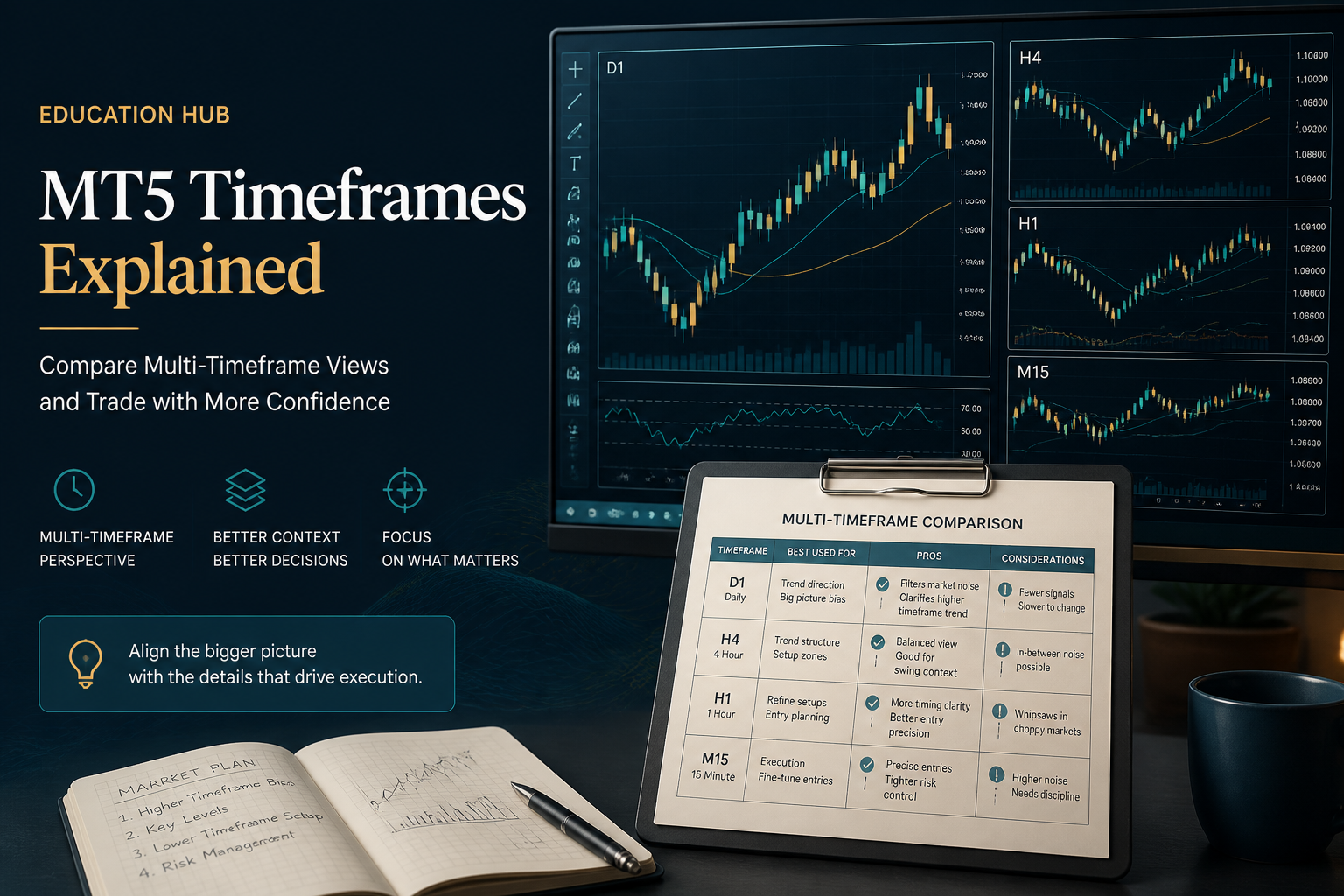
- MT5 is the better default for multi-asset and deeper market calendar tools vs older MT4 stacks
- Entity availability of MT5 varies — never assume every brand domain ships MT5 to your country
- XM/Exness fit many retail starters; IC Markets/Pepperstone fit cost-sensitive active traders
- Test symbols list, min lot and economic calendar in MT5 demo first
- Pair platform choice with regulation and withdrawal checks

Open a free Exness demo
- Practice with virtual funds before you deposit
- Spreads from 0.0 by account type
- MT4, MT5 and the Exness app
- 800K+ active clients
- Automated withdrawals; arrival time still varies
- Confirm the legal entity before you fund
- Withdrawals are requested in the client area; arrival time varies
- Fund a live account only after the demo is clear
- Quick Decision Framework
- Short Answer
- Detailed Explanation
- Example
- Common Mistake
- Professional Tip
- Quick Answer
- Why MT5 Intent Is Different from “Best Broker”
- Short Answer
- Detailed Explanation
- Example
- Common Mistake
- Professional Tip
- Comparison Matrix — MT5 Focus
- Common Mistake
- Professional Tip
- Netting vs Hedging and Other MT5 Gotchas
- Short Answer
- Detailed Explanation
- Example
- Professional Tip
- Checklist — MT5 Broker Shortlist
- Internal Cluster
- Key Takeaways
Algorithmic-trading boundary: This article compares brokers for general MT5 use. For Expert Advisors, Python terminal integration, native APIs, FIX eligibility and VPS controls, use the dedicated AI and algorithmic broker framework and Python MT5 setup guide.
Quick Decision Framework#
Short Answer
Strong MT5 shortlists for 2026 include XM and Exness for accessible multi-asset onboarding, and IC Markets and Pepperstone for traders who prioritise raw pricing, cTrader alternatives and higher tool depth. Confirm MT5 is enabled for your legal entity. Test netting versus hedging mode if relevant, and judge all-in cost—not only the MT5 download button.
Detailed Explanation
MT5 is the better default versus older MT4 stacks for multi-asset CFDs, more timeframes and a deeper economic calendar. Entity availability of MT5 varies; never assume every brand domain ships MT5 to your country. XM and Exness fit many retail starters; IC Markets and Pepperstone fit cost-sensitive active traders. Test the symbols list, minimum lot and calendar in an MT5 demo first. Pair platform choice with regulation and withdrawal checks.
Example
A trader who wants to hedge an existing position must confirm the assigned entity's MT5 account is in hedging mode, not netting, before transferring a strategy that depends on opposite positions.
Common Mistake
Choosing a broker because the homepage has an MT5 download button, then discovering your country entity only offers MT4 or a different symbol list.
Professional Tip
Open the MT5 demo for the exact legal entity you would fund, then check symbol list, min lot, netting versus hedging, and a timestamped all-in cost sample before depositing.
Quick Answer#
Best MT5 brokers 2026 shortlist by job-to-be-done:
| Job | Shortlist |
|---|---|
| Learn live multi-asset safely | XM + XM MT5 setup |
| Fast ops / flexible accounts | Exness + Exness MT5 |
| Raw pricing + tools | IC Markets + IC MT5 |
| Algo / pro pricing culture | Pepperstone (+ compare platforms hub) |
See also best MT4 brokers and MT4 vs MT5.
Risk note: Multi-asset CFDs raise complexity. Leverage multiplies losses. Read the disclaimer.
Why MT5 Intent Is Different from “Best Broker”#
Short Answer
MT5 is designed for multi-asset and future workflows, not only EUR/USD tickets.
Detailed Explanation
MetaTrader 5 commonly wins for multi-timeframe tooling, more order types, and multi-asset watchlists (FX, indices, metals, sometimes crypto CFDs — product list is entity-specific). Ranking “best MT5 brokers” therefore weights: official MT5 build for the entity, symbol list suitability, all-in cost, and whether netting accounts break your hedging playbook.
Baseline global ranking remains best forex brokers 2026. Country legality: /forex-brokers/.
Example
A trader migrating from stocks CFDs + FX wants one terminal. MT5 at a multi-asset broker beats pure FX micro-broker marketing.
Common Mistake
Assuming every “MT5” login includes the same symbol classes across countries.
Professional Tip
Export the Market Watch list on demo day one. That is your real product set.
Comparison Matrix — MT5 Focus#
| Broker | MT5 | Multi-asset tilt | Cost model flavour | Next read |
|---|---|---|---|---|
| XM | Yes | Broad retail CFD suite on eligible entities | Accessible account tiers | XM |
| Exness | Yes | Flexible account ladder + own terminal options | Standard vs raw/zero paths | Exness |
| IC Markets | Yes | Strong for active / raw traders | Commission-aware | IC Markets |
| Pepperstone | Yes | Pro pricing culture | Razor-style all-in | lowest spread guide |
Common Mistake
Judging MT5 “speed” from marketing latency claims instead of your own fill journal.
Professional Tip
Place identical plan on MT5 demo for one week before touching live size (first month map).
Netting vs Hedging and Other MT5 Gotchas#
Short Answer
Account mode and stop level can break strategies designed for MT4 hedging.
Detailed Explanation
Some entities offer hedging mode; others are netting. Partial closes, basket hedges, and certain EAs assume one model. Also verify: min stop distance, max open positions, weekend product availability (e.g. gold promotions are brand-specific).
Read order types guide and balance vs equity vs margin so MT5’s trade ticket numbers make sense.
Example
Opening a sell-to-hedge on a long that nets to flat confuses traders used to two open tickets on classic MT4.
Professional Tip
Demo both long+short behaviour on purpose before copying a YouTube “hedge” template.
Checklist — MT5 Broker Shortlist#
- Entity register verified (licensed brokers)
- MT5 available to your signup flow
- Symbol list matches your strategy
- All-in cost calculated (lot + margin)
- Netting/hedging mode understood
- Demo filled with stops and partials
- Withdrawal path read
- Country hub checked
Internal Cluster#
- Best MT4 brokers 2026
- Broker comparison matrix 2026
- Beginner brokers
- How to choose a reliable broker
- Trading platforms advanced charting
Key Takeaways#
- MT5 ranking prioritises multi-asset readiness and entity install path.
- Accessible MT5: XM/Exness. Cost-sensitive active: IC Markets/Pepperstone culture.
- Mode (netting/hedging) is a strategy filter.
- Cost + legality beat download marketing.
Risk Warning: Leveraged multi-asset CFDs can wipe balances quickly. Retail accounts frequently lose money. Trade only risk capital.
Comments
Add a useful note for other traders. We review comments before publishing.