- Pepperstone adds cTrader and TradingView and separates Standard from Razor pricing
- XM and Pepperstone both list DFSA entities, but the assigned company governs protection
- Raw-spread comparisons must include platform commission and slippage
- Swap-free instrument and holding-period conditions require written confirmation
Evidence-based comparison#
Short Answer
Neither XM nor Pepperstone is universally better. Verify the legal entity first, then compare the exact account's total cost, platform, funding route and risk controls.
Detailed Explanation
Pepperstone Razor and XM Zero use different pricing and platform contexts. Compare round-turn cost, execution records and the serving entity. Advertised spreads, leverage and processing times are conditional rather than promised outcomes.
Example
A TradingView or cTrader user should verify Pepperstone integration; an XM user should test the required flow on MT4 or MT5. Keep instrument, volume, session and holding period constant.
Common Mistake
Choosing Razor or Zero from its name rather than measured spread, commission and platform fit.
Professional Tip
Test the exact integration and symbol specification, then retain a dated cost record for both accounts.
Overview#
XM and Pepperstone represent two different philosophies in the forex brokerage world. XM focuses on accessibility, education, and a complete trading ecosystem for all levels, while Pepperstone targets experienced traders with raw spreads and advanced execution technology.
XM was founded in 2009 and offers MetaTrader accounts, its own app, education and promotions where eligible. Availability varies by entity.
Pepperstone was founded in 2010 in Melbourne, Australia, and has grown into one of the largest forex brokers globally. Pepperstone is known for its ultra-tight raw spreads, fast execution, and focus on providing institutional-grade pricing to retail traders.
Quick Comparison Table#
| Feature | XM | Pepperstone |
|---|---|---|
| Founded | 2009 | 2010 |
| Regulation | CySEC, DFSA, FSCA, FSC/FSA, CMA, BVI FSC | ASIC, FCA, CySEC, DFSA, SCB |
| Min. Deposit | $5 | $0 |
| Spreads (EUR/USD) | From 0.6 pips (Ultra Low) | From 0.0 pips (Razor) |
| Commission | $0 (Standard/Ultra Low) | $3.50/lot/side (Razor) |
| Max. Leverage | Up to 1:1000* | Up to 1:500* |
| Platforms | MT4, MT5, XM App, XM WebTrader | MT4, MT5, cTrader, TradingView |
| Islamic Account | Yes (all account types) | Yes (upon request) |
| Bonus | Available in eligible jurisdictions | No bonuses |
| Arabic Support | Full dedicated team | Limited |
| Education | Extensive | Moderate |
| Instruments | 1,400+ | 1,200+ |
| Execution Speed | Fast | Ultra-fast (ECN) |
| Review | XM review | - |
Regulation#
Both brokers are well-regulated with multiple Tier 1 licenses, providing strong safety for your funds.
XM's official regulation page lists 8 group licenses:
- CySEC (Cyprus) — License #120/10
- DFSA (Dubai, DIFC) — License #F003484
- FSCA (South Africa) — License #49976
- FSC (Belize) — Licence #8557558
- FSA (Seychelles) — License #SD190
- FSC (Mauritius) — License #GB23202700
- CMA (Kenya) — License #233
- BVI FSC — License #SIBA/L/25/1182
Pepperstone's regulatory licenses:
- ASIC (Australia) — License #414530
- FCA (United Kingdom) — License #684312
- CySEC (Cyprus) — License #388/20
- DFSA (Dubai, UAE) — License #F004356
- SCB (Bahamas) — License #SIA-F217
| Aspect | XM | Pepperstone |
|---|---|---|
| Tier 1 Regulators | CySEC | ASIC, FCA, CySEC |
| Middle East | DFSA | DFSA |
| Client Fund Segregation | Yes | Yes |
| Negative Balance Protection | Yes | Yes |
| Compensation Scheme | ICF (up to €20,000) | FSCS (FCA, up to £85,000) |
| Review | XM review | - |
Verdict on regulation: Both are strongly regulated, but protection depends on the specific entity assigned to your country. Pepperstone has stronger tier-1 depth through ASIC/FCA/CySEC, while XM has broad regional coverage including DFSA, FSCA, CMA Kenya and BVI FSC entities.
Spreads and Fees#
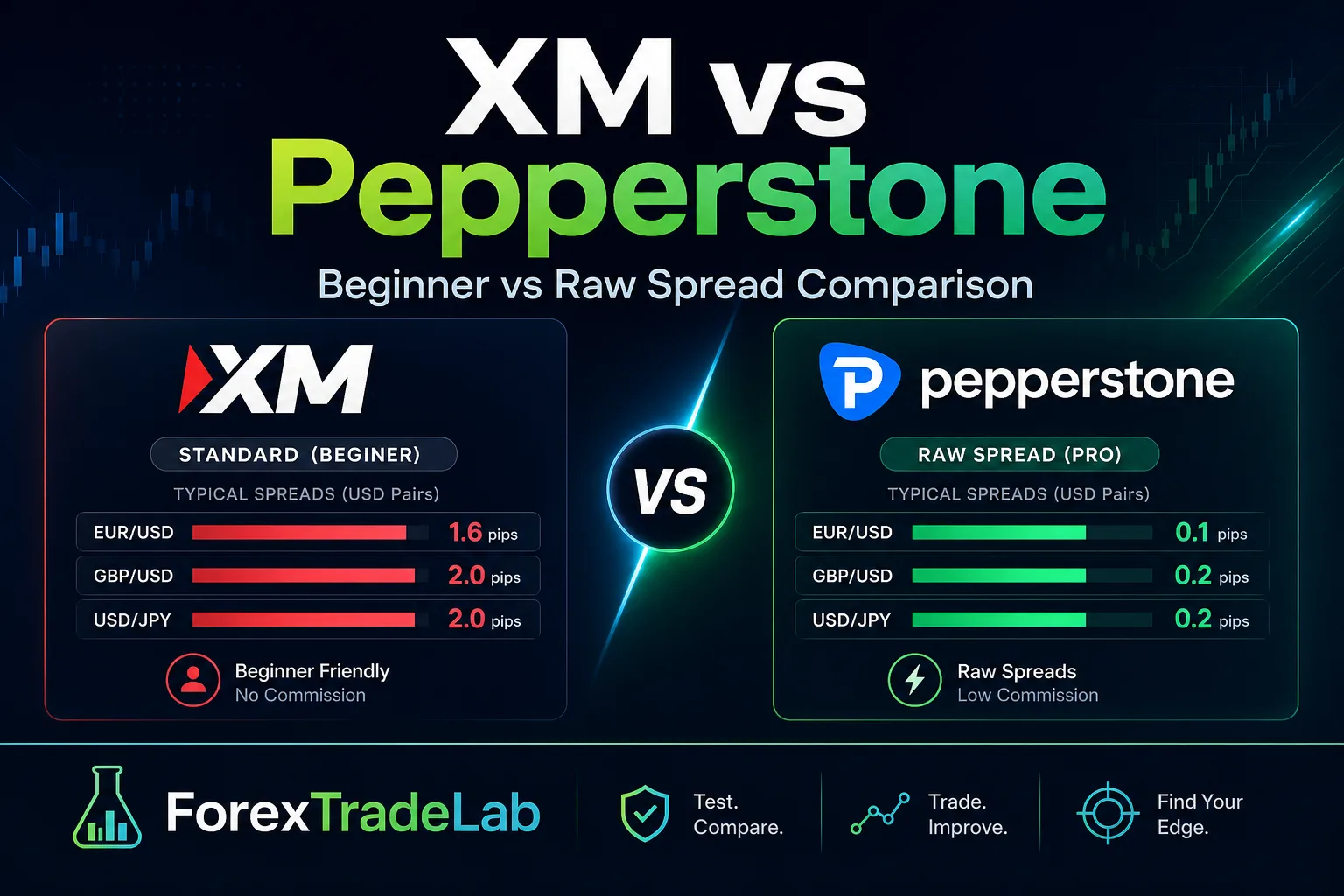
This is where the two brokers diverge most significantly. Pepperstone is built around raw pricing, while XM emphasizes all-inclusive accounts.
XM Spreads (typical):
| Account | EUR/USD | GBP/USD | USD/JPY | Gold |
|---|---|---|---|---|
| Standard | 1.6 pips | 2.1 pips | 1.6 pips | 3.5 pips |
| Ultra Low | 0.6 pips | 0.7 pips | 0.7 pips | 1.5 pips |
| XM Zero | 0.0 pips | 0.2 pips | 0.1 pips | 2.0 pips |
XM Zero charges $3.50/lot/side commission.
Pepperstone Spreads (typical):
| Account | EUR/USD | GBP/USD | USD/JPY | Gold |
|---|---|---|---|---|
| Standard | 1.0 pips | 1.2 pips | 1.1 pips | 2.5 pips |
| Razor | 0.0 pips | 0.2 pips | 0.1 pips | 1.0 pips |
Pepperstone Razor charges $3.50/lot/side commission on MT4/MT5 (or $3.00/lot/side on cTrader).
All-in cost comparison (EUR/USD, 1 standard lot round-turn):
The displayed EUR/USD arithmetic gives the same $7 round-turn figure for Pepperstone Razor and XM Zero, but it does not measure execution quality. Live spread, slippage and platform commission can change the result.
Non-trading fees:
- Deposits/Withdrawals: Both offer mostly free deposits and withdrawals
- Inactivity fee: XM charges $5/month after 90 days. Pepperstone has no inactivity fee
- Currency conversion: Pepperstone charges a small fee for non-base-currency deposits; XM absorbs most conversion costs
Leverage#
| XM | Pepperstone | |
|---|---|---|
| Maximum leverage | Up to 1:1000* | Up to 1:500* |
| Default leverage | Up to 1:1000 (entity cap) | 1:500 |
| Leverage on Majors | Up to 1:1000* | Up to 1:500* |
| Leverage on Gold | Up to 1:1000* | Up to 1:500* |
| Leverage on Crypto | Up to 1:250 | Up to 1:2 |
| Leverage on Indices | Up to 1:200 | Up to 1:200 |
| Review | XM review | - |
Verdict on leverage: XM can offer more leverage flexibility where eligible, but the safer comparison is legal entity, margin rules and instrument caps rather than headline maximums.
Account Types#
XM Account Types:
| Account | Min. Deposit | Spread From | Commission | Key Feature |
|---|---|---|---|---|
| Micro | $5 | 1.0 pips | $0 | Micro lots (1,000 units) |
| Standard | $5 | 1.0 pips | $0 | Standard lots |
| Ultra Low | $5 | 0.6 pips | $0 | Low spreads, no commission |
| XM Zero | $100 | 0.0 pips | $3.50/lot/side | Raw spreads |
Pepperstone Account Types:
| Account | Min. Deposit | Spread From | Commission | Key Feature |
|---|---|---|---|---|
| Standard | $0 | 1.0 pips | $0 | All-inclusive spreads |
| Razor | $0 | 0.0 pips | $3.50/lot/side | ECN raw spreads |
XM also offers more account variety (4 types vs 2), including Micro accounts ideal for complete beginners who want to trade smaller position sizes while learning.
Platforms#
This is an area where Pepperstone has a notable advantage — platform variety.
XM:
- MetaTrader 4 (Desktop, Web, Mobile)
- MetaTrader 5 (Desktop, Web, Mobile)
- XM App (proprietary mobile app)
- XM WebTrader
Pepperstone:
- MetaTrader 4 (Desktop, Web, Mobile)
- MetaTrader 5 (Desktop, Web, Mobile)
- cTrader (Desktop, Web, Mobile)
- TradingView integration
- Capitalise.ai (automated trading with no coding)
| Feature | XM | Pepperstone |
|---|---|---|
| MT4 | Yes | Yes |
| MT5 | Yes | Yes |
| cTrader | No | Yes |
| TradingView | No | Yes |
| Proprietary App | XM App, XM WebTrader | — |
| Autochartist | Yes | Yes |
| Smart Trader Tools | No | Yes (MT4/MT5 plugin) |
| Copy Trading | Yes | Yes (via cTrader/DupliTrade) |
| Review | XM review | - |
Pepperstone's cTrader and TradingView integration are significant advantages for experienced traders who prefer modern charting interfaces. XM's platform offering is solid with MT4 and MT5, which covers most traders' needs, and its proprietary app provides a clean mobile experience with built-in account management.
Islamic Accounts#
Both brokers offer swap-free accounts for Muslim traders, but with different approaches and conditions.
XM Islamic Account:
- Available on all account types (Micro, Standard, Ultra Low, Zero)
- No swap or rollover charges whatsoever
- No additional fees, markups, or hidden costs
- Activated by contacting support — simple process
- No time limit or instrument restrictions on swap-free status
- Full Arabic support during setup and management
Pepperstone Islamic Account:
- Available on both Standard and Razor accounts
- No swap charges on major forex pairs, gold, and silver
- Some exotic pairs and other instruments may not be eligible
- Activated upon request through support
- May have holding period limits on certain instruments
- Limited Arabic support for setup
Customer Support#
The listed support channels and languages differ, but service quality and response times were not independently benchmarked.
| Aspect | XM | Pepperstone |
|---|---|---|
| Live Chat | 24/5 | 24/5 |
| Yes | Yes | |
| Phone | Yes | Yes |
| Languages | 30+ | 10+ |
| Arabic Support | Full dedicated native team | Limited/translated |
| Response Time | Under 1 minute (chat) | Under 3 minutes (chat) |
| Personal Account Manager | Yes | No |
| Arabic Webinars | Regular | None |
| Seminars | Global (including Middle East) | Limited (mainly AU/UK) |
| Educational Content | Extensive (200+ videos, guides) | Moderate (articles, analysis) |
| Review | XM review | - |
XM's listed support features:
- Dedicated Arabic-speaking customer support team available during full market hours
- Regular live webinars in Arabic covering market analysis, technical education, and trading strategies
- Personal account managers who speak Arabic and understand Middle Eastern markets
- Global seminar program with events in Arab countries
- Over 200 educational videos, comprehensive trading guides, and tutorial series
Pepperstone's support strengths:
- Fast response in English
- Good technical support for platform issues
- Active social media presence
- Strong market analysis content (in English)
Final Verdict#
XM and Pepperstone are both excellent brokers, but they serve fundamentally different trader profiles.
Choose XM if you:
- Are a beginner or intermediate trader
- Want to start with as little as $5
- Value eligible bonuses to test live markets, subject to terms
- Need full Arabic support — customer service, webinars, and education
- Want a personal account manager who speaks your language
- Prefer higher leverage flexibility where available (up to 1:1000*)
- Want eligible promotions and loyalty credits
- Are based in the Middle East and value local DFSA regulation
- Appreciate a comprehensive educational ecosystem
Choose Pepperstone if you:
- Are an experienced, high-volume trader or professional scalper
- Prioritize raw spreads and ECN execution above all else
- Want access to cTrader or TradingView integration
- Don't need a deposit bonus or extensive hand-holding to get started
- Trade primarily in English and don't need Arabic support
- Don't need bonuses or educational hand-holding
- Prefer a no-frills, execution-focused trading experience
Our assessment: Neither broker is stronger overall. Pepperstone may fit a trader who needs cTrader, TradingView or Razor pricing; XM may fit a trader whose available MetaTrader account and education format suit the plan. Both list DFSA entities, but the actual contracting company must be checked.
Affiliate & risk disclosure: ForexTradeLab may earn commissions from qualifying broker links. This does not affect the comparison method or make any broker suitable for you. Leveraged forex and CFDs can cause rapid losses. Read the affiliate disclosure and risk disclaimer.