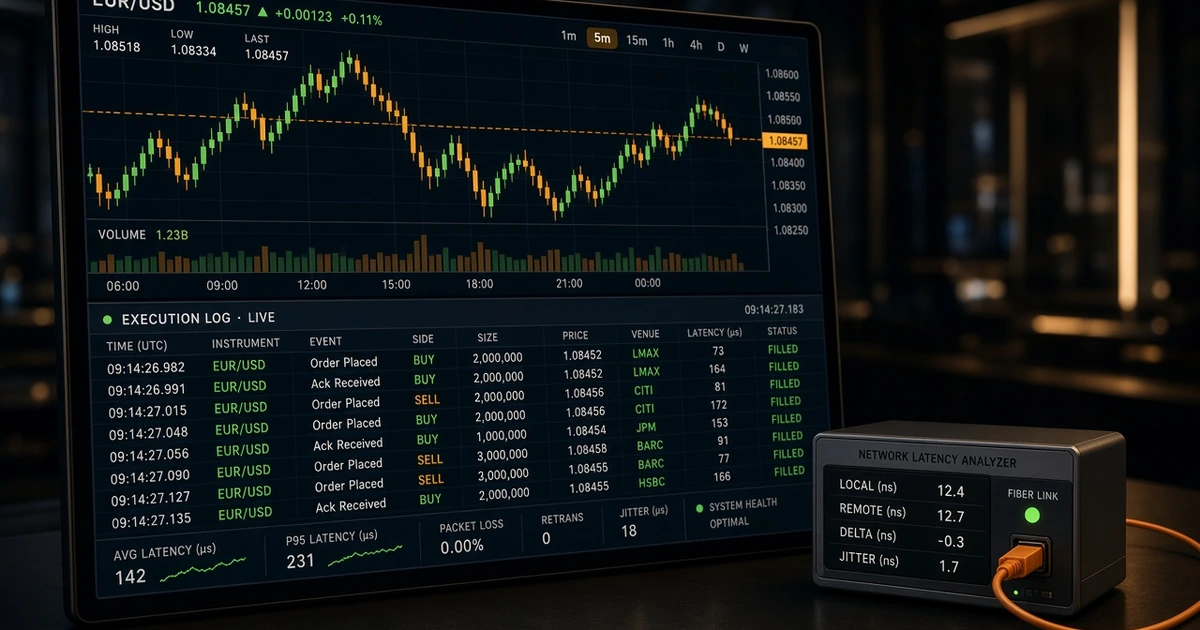
- The MT4/MT5 Journal tab records the exact millisecond an order leaves your terminal and the millisecond the trade server responds
- An 'Off quotes' error (MT4 Error 136 / MT5 10021) means either the liquidity stream had no valid price within maximum deviation or the server connection timed out during a volatility spike
- 'Invalid stops' (MT4 Error 130 / MT5 10016) happens when a Stop-Loss, Take-Profit, or pending order violates the symbol's Stops Level, Freeze Level, or Bid/Ask side rule
- Instant Execution books issue 'Requotes' when price moves beyond your deviation setting; Market Execution books fill at the next available VWAP price (resulting in positive or negative slippage)
- 'Trade is disabled' (MT4 Error 133 / MT5 10017) is usually caused by selecting the wrong symbol suffix (e.g., EURUSD vs EURUSDm), an unverified read-only account, or a session break
- When raising a broker execution ticket, attach the raw YYYYMMDD.log file from the File -> Open Data Folder -> Logs directory rather than a cropped chart screenshot
- Why the MetaTrader Journal Tab Is Your Real Black Box
- Short Answer
- Detailed Explanation
- Example
- Common Mistake
- Professional Tip
- Master Reference Table: Top 7 MT4 & MT5 Execution Errors Decoded
- Short Answer
- Detailed Explanation
- Example
- Common Mistake
- Professional Tip
- Deep Dive 1: 'Off Quotes' vs 'Requote' (Execution Mode Physics)
- Short Answer
- Detailed Explanation
- Example
- Common Mistake
- Professional Tip
- Deep Dive 2: 'Invalid Stops' (Error 130 / 10016) & the Points vs Pips Trap
- Short Answer
- Detailed Explanation
- Example
- Common Mistake
- Professional Tip
- Deep Dive 3: Why 'Trade Is Disabled' & 'Not Enough Money' Surprise Traders
- Short Answer
- Detailed Explanation
- Example
- Common Mistake
- Professional Tip
- Checklist: How to Document an Execution Issue Like a Professional
- Glossary
- Related Reading
- Suggested Future Articles
Affiliate & risk disclosure: ForexTradeLab may earn a commission from qualifying broker links at no additional cost to you. Our platform guides are independent and written for educational transparency. See our affiliate disclosure and risk disclaimer.
Risk warning: Leveraged forex and CFD trading carries a high risk of rapid loss, and a majority of retail client accounts lose money. Execution speed, slippage, and order rejections vary by market liquidity, account execution mode, and network stability.
Why the MetaTrader Journal Tab Is Your Real Black Box#
Short Answer
Charts only show historical Bid prices, whereas the MT4/MT5 Journal tab (saved locally as YYYYMMDD.log) records the exact millisecond your order left your device, the price you requested, the server's response code, and total execution latency.
Detailed Explanation
When a trade fails to open, closes at an unexpected price, or rejects a stop-loss modification, most retail traders stare at the candlestick chart. That is like trying to diagnose an aircraft fault by looking out the passenger window.
Every MetaTrader 4 and MetaTrader 5 client terminal maintains two distinct plain-text log streams on your local storage drive (File → Open Data Folder):
- The Terminal
Journal(.../Logs/YYYYMMDD.log): Records connection handshakes, server ping changes, manual order transmissions, dealer/server responses, fill prices, and execution duration in milliseconds. - The
ExpertsLog (.../MQL4/Logs/or.../MQL5/Logs/): Records output from Expert Advisors (EAs), custom indicators, and automatedOrderSend()return codes documented in the MQL5 Trade Server Return Codes reference.
As the Bank for International Settlements (BIS) and the FCA Best Execution rules (COBS 11.2A) note, electronic FX execution involves a chain of timestamps: client order generation → network transit → broker gateway → liquidity book matching → client confirmation. Your local Journal log captures the exact boundaries of that loop.
Example
Look at a real three-line sequence from an MT5 Journal log during an active London session:
10:15:04.112—Trades '8049210': market buy 0.50 EURUSD sl: 1.08200 tp: 1.0885010:15:04.198—Trades '8049210': accepted market buy 0.50 EURUSD sl: 1.08200 tp: 1.0885010:15:04.209—Trades '8049210': deal #44918203 buy 0.50 EURUSD at 1.08412 done (based on order #55102931) — request performed in 97.42 ms
From those three lines alone, you know:
- The order left your terminal at
.112seconds. - The server validated margin and risk parameters in 86 ms (
.198). - The liquidity book filled the deal at
1.08412in 97.42 ms total (.209).
Common Mistake
Sending broker support a cropped phone screenshot of an H1 candle when disputing a fill. Support desks cannot verify latency, requested price, or error codes from a candle image—they require the Order/Deal Ticket ID and the Journal timestamp.
Professional Tip
Before testing any live broker or VPS, open File → Open Data Folder → Logs and inspect your last ten trades. Compare your average performed in X ms across normal hours versus news releases using our news spread and slippage log template.
Master Reference Table: Top 7 MT4 & MT5 Execution Errors Decoded#
Short Answer
Almost every retail execution failure maps to seven standard MetaQuotes server return codes, each caused by a specific rule in your contract specification, execution mode, or account state.
Detailed Explanation
Use this diagnostic matrix whenever an order is rejected in MT4 or MT5:
| Terminal Message | MT4 Code | MT5 Return Code | Primary Technical Cause | Immediate Fix |
|---|---|---|---|---|
Off quotes | 136 | 10021 (TRADE_RETCODE_NO_PRICES) | Liquidity stream pulled during news/rollover, price moved past max deviation, or local connection timeout | Switch to Market Execution account, check ping/packet loss, avoid clicking mid-spike without limit bounds |
Requote | 138 | 10004 (TRADE_RETCODE_REQUOTE) | Price changed while an Instant Execution order was in transit and exceeded your allowed deviation | Increase Maximum Deviation points in the order window or use a Market Execution account |
Invalid stops | 130 | 10016 (TRADE_RETCODE_INVALID_STOPS) | Stop-Loss or Take-Profit violates the symbol's Stops Level, Freeze Level, or Bid/Ask direction rule | Check Stops Level in Contract Specs (in points, not pips) and enable the Ask line on your chart |
Trade is disabled | 133 | 10017 (TRADE_RETCODE_TRADE_DISABLED) | Wrong symbol suffix (EURUSD vs EURUSDm), Investor password login, session break, or pending KYC | Load the exact symbol suffix for your account tier; verify Master password login |
Not enough money | 134 | 10019 (TRADE_RETCODE_NO_MONEY) | Free Margin after accounting for floating loss and hedged margin rules cannot cover initial margin | Check Free Margin (not Balance), verify symbol leverage cap, or reduce lot size |
Market is closed | 132 | 10018 (TRADE_RETCODE_MARKET_CLOSED) | Order sent outside the symbol's specific quoting/trading session window in Contract Specifications | Check the symbol's Sessions table in Specification (especially on Gold, Oil, and Stock CFDs) |
Trade context is busy | 146 | N/A (MT5 is asynchronous) | In MT4, a single execution thread is locked by an EA or script while another order attempts to fire | Upgrade multi-pair EAs to MT5 (which has 4+ parallel async trade threads) or add IsTradeContextBusy() checks |
For a full comparison of how MT4's single-threaded order pipe differs from MT5's asynchronous architecture, read our MT4 vs MT5 platform guide.
Example
An EA running on MT4 tries to close three correlated positions simultaneously during US CPI. Position 1 sends an order; Positions 2 and 3 fail with Error 146: Trade context is busy because MT4 only allows one active trade request per terminal instance. Moving the same logic to MT5 eliminates Error 146 entirely.
Common Mistake
Blaming the broker for "blocking my EA" when an MT4 Expert Advisor triggers Error 146 or Error 130 due to unnormalized point decimals (NormalizeDouble(price, _Digits)).
Professional Tip
If you run automated strategies, log both the numeric return code and the current SymbolInfoInteger(_Symbol, SYMBOL_SPREAD) inside your EA whenever an order fails. See our broker API, EA, and VPS execution comparison.
Deep Dive 1: 'Off Quotes' vs 'Requote' (Execution Mode Physics)#
Short Answer
Requote means the server has a new price and is asking your permission because your account uses Instant Execution. Off quotes means the server cannot execute at your requested price stream at all—either because liquidity providers pulled quotes during a shock, the price jumped outside hard bounds, or your connection dropped mid-handshake.
Detailed Explanation
Many traders confuse Off quotes and Requote, but they tell you two completely different things about your broker's execution engine:
- Why
Requote(138/10004) Happens: On an Instant Execution account, you click Buy at1.08500. Your order takes 110 milliseconds to reach the server. In those 110 ms, the market ticks to1.08504. Because Instant Execution promises "fill at my exact clicked price or ask me first," the server halts execution and sends aRequotepopup. - Why
Off quotes(136/10021) Happens:Off quotesoccurs when the server cannot match a valid quote within the allowed execution window. There are three distinct causes:- Liquidity Vacuum (LP Quote Pull): In the 2 seconds before and after Non-Farm Payrolls (NFP), CPI, or at the 17:00 NY rollover, upstream liquidity providers briefly pull top-of-book quotes or reject orders under "last-look" windows. If no valid executable price exists for your volume tier, the server returns
Off quotes. - Maximum Deviation Breach Without Requote Fallback: On certain bridged setups, if price gaps beyond the liquidity bridge's protection threshold while your packet is in flight, the bridge drops the order as
Off quotesrather than filling you 40 pips away. - Client-Side Packet Loss / High Ping: If you trade over congested mobile data or unstable Wi-Fi, your order packet arrives after the quote tick ID has already expired on the server.
- Liquidity Vacuum (LP Quote Pull): In the 2 seconds before and after Non-Farm Payrolls (NFP), CPI, or at the 17:00 NY rollover, upstream liquidity providers briefly pull top-of-book quotes or reject orders under "last-look" windows. If no valid executable price exists for your volume tier, the server returns
Compare how execution modes handle fast markets in our ECN vs STP vs Market Maker broker guide.
Example
During a volatile gold (XAU/USD) move, Trader A on Wi-Fi (190 ms ping with 4% packet loss) clicks Market Buy and gets Off quotes after a 2.5-second freeze. Looking at the Journal reveals network connection lost / re-established two lines above the order—proving the failure was local Wi-Fi, not the liquidity book.
Common Mistake
Spam-clicking the Buy button five times when the terminal freezes during an Off quotes delay—which can queue multiple market orders if the connection suddenly recovers on a Market Execution account.
Professional Tip
Check the bottom-right corner of MT4/MT5 before trading: click the connection bars to view your Access Point ping in milliseconds. If ping exceeds 120–150 ms or fluctuates wildly, switch to a closer access server in the popup list or use a low-latency VPS—see our XM free VPS hosting guide.
Deep Dive 2: 'Invalid Stops' (Error 130 / 10016) & the Points vs Pips Trap#
Short Answer
Invalid stops occurs when your Stop-Loss, Take-Profit, or pending order is placed closer to the current market price than the symbol's Stops Level, inside the Freeze Level, or compared against the Bid price when the order actually executes on the Ask price.
Detailed Explanation
Whenever MT4 throws Error 130 or MT5 throws Invalid stops (10016), the server is enforcing a mathematical distance rule published inside the symbol's Contract Specification (Ctrl+U → Specification):
Stops Level(Minimum Distance in Points): Every symbol defines aStops Levelin points (the 5th decimal onEUR/USD, or 2nd decimal onXAU/USD), not standard pips. IfStops Level = 30 points(3.0 pips onEUR/USD), you cannot place a Stop-Loss, Take-Profit, or pending order within 3.0 pips of the current execution price. Read our dedicated guide on pips vs points in MetaTrader stop-loss settings.Freeze Level(Modification Lock Zone): If a symbol has a non-zeroFreeze Level(e.g.,20 points), once live price comes within 20 points of an open position's Stop-Loss, Take-Profit, or pending order, the order is frozen—you cannot modify or delete it until price moves out of the freeze zone or the order triggers.- The Bid vs. Ask Reference Rule (The #1 Culprit):
- For a Buy position, your Stop-Loss and Take-Profit trigger on the Bid price—so they must be at least
Stops Levelpoints away from the current Bid. - For a Sell position, your Stop-Loss and Take-Profit trigger on the Ask price—so they must be at least
Stops Levelpoints away from the current Ask.
- For a Buy position, your Stop-Loss and Take-Profit trigger on the Bid price—so they must be at least
| Order Type | Price That Triggers Execution / Stop | Minimum Valid Distance Rule |
|---|---|---|
| Buy Position Stop-Loss (SL) | Bid | Current Bid - SL ≥ Stops Level |
| Buy Position Take-Profit (TP) | Bid | TP - Current Bid ≥ Stops Level |
| Sell Position Stop-Loss (SL) | Ask | SL - Current Ask ≥ Stops Level |
| Sell Position Take-Profit (TP) | Ask | Current Ask - TP ≥ Stops Level |
| Pending Buy Limit / Buy Stop | Ask | |Order Price - Current Ask| ≥ Stops Level |
| Pending Sell Limit / Sell Stop | Bid | |Order Price - Current Bid| ≥ Stops Level |
Example
XAU/USD is quoted at Bid 2650.00 / Ask 2650.35 (35 points spread), and the symbol's Stops Level is 50 points ($0.50). You open a Sell trade at 2650.00 (which fills on the Bid) and try to set a tight Stop-Loss at 2650.60 (thinking it is 60 points above your entry).
- Because a Sell Stop-Loss triggers on the Ask (
2650.35), your stop at2650.60is only 25 points above the current Ask (2650.60 - 2650.35 = 25 points). - Since
25 points < 50 points (Stops Level), the server immediately rejects the order withInvalid stops.
Common Mistake
Calculating your stop distance from your entry price instead of the opposite side of the live spread (Ask for shorts, Bid for longs).
Professional Tip
Even when your broker lists Stops Level = 0, the live spread itself acts as the physical minimum distance for a new order: you can never set a Sell Stop-Loss below the current Ask or a Buy Stop-Loss above the current Bid. Review our how to set stop-loss and take-profit guide.
Deep Dive 3: Why 'Trade Is Disabled' & 'Not Enough Money' Surprise Traders#
Short Answer
Trade is disabled almost always means you opened a chart with the wrong symbol suffix for your account type (e.g., EURUSD instead of EURUSDm or EURUSD.a), while Not enough money happens when tier-stepped leverage caps or weekend/news margin hikes reduce your available Free Margin.
Detailed Explanation
When a funded, verified trader sees Trade is disabled (133 / 10017) or Not enough money (134 / 10019), the cause is rarely a broken terminal:
- The Symbol Suffix Trap (
Trade is disabled): Multi-account brokers keep several price feeds on the same MT4/MT5 server:- Standard account:
EURUSD - Micro / Ultra Low / Cent / Raw account:
EURUSDm,EURUSD#,EURUSD.r, orEURUSDcIf you log into an Ultra Low or Micro account and open a chart for bareEURUSD, the chart displays prices so EAs and indicators can read it, but trading on that symbol is disabled for your account group (Trade mode: Disabledin Contract Specifications). Always right-click Market Watch → Show All, and look for the symbols rendered in bold/dark text rather than greyed-out text.
- Standard account:
- The Investor Password Trap (
Trade is disabled): If you logged in using your Investor (read-only) password instead of your Master trading password, the Buy/Sell buttons are locked and the Journal logsTrade is disabled. See our how to log into MT4 and MT5 server and password guide. - Dynamic Margin & Tiered Leverage (
Not enough money): Many brokers reduce maximum leverage automatically during the 15 minutes before and 5 minutes after high-impact news or before the Friday weekend close (for example, capping leverage at1:200instead of1:1000). A lot size that worked at 10:00 AM can returnNot enough moneyat 1:20 PM right before US CPI. Read our balance, equity, free margin, and margin level explainer.
Example
A trader opens an XM Ultra Low Micro account, drags XAUUSD onto the chart, and gets Trade is disabled. Opening Market Watch reveals that XAUUSD is greyed out (indicative feed), while GOLDmicro or the account-specific suffix is the active tradable contract.
Common Mistake
Reinstalling MetaTrader when Trade is disabled appears, instead of checking Market Watch for the correct account suffix or checking whether the symbol is in a daily 5-minute maintenance break (such as 23:59–00:04 server time on metals/indices).
Professional Tip
Right-click inside Market Watch and click Hide All, then manually add only the active symbols that show Trade: Full access inside their Specification window.
Checklist: How to Document an Execution Issue Like a Professional#
- Open the Journal tab (
Ctrl+T→Journal) immediately after any unexpected fill or rejection - Click
File→Open Data Folder→Logsand copy the rawYYYYMMDD.logtext file before closing the terminal - Record the Order ID / Deal Ticket number and the exact server timestamp down to the millisecond
- Note the execution latency (
request performed in X.XX ms) and compare it with your bottom-right server ping - Check the symbol's Specification window for
Execution Type(Instant vs Market),Stops Level,Freeze Level, andTrade Mode - Verify whether the event occurred during a 17:00 NY rollover window, a daily maintenance break, or a Tier-1 macro release (CPI/NFP/FOMC)
- If running an Expert Advisor, export the matching
YYYYMMDD.logfile fromMQL4/LogsorMQL5/Logsas well
Next step: Open your MT4 or MT5 terminal right now, press Ctrl+T, click the Journal tab, and right-click to select Open—this opens your local Logs directory directly. Before scaling live capital, run our MT4/MT5 platform fit test and verify account execution types on XM or your chosen regulated broker.
Glossary#
- MT4/MT5 Journal (
YYYYMMDD.log) — The local plain-text diagnostic file written by MetaTrader that timestamps terminal connections, order requests, server return codes, and fill speed in milliseconds. - Off Quotes (
Error 136/10021) — A trade server rejection indicating no executable liquidity price was available or the quote expired before the order handshake completed. - Requote (
Error 138/10004) — An Instant Execution prompt issued when the live market price moves beyond the trader's allowed deviation while the order is in transit. - Invalid Stops (
Error 130/10016) — An order rejection caused by placing a Stop-Loss, Take-Profit, or pending order on the wrong side of the Bid/Ask spread or closer than the symbol'sStops Level. - Stops Level — The minimum distance in points required between the current market price (
BidorAsk) and any pending or stop/limit order. - Freeze Level — A buffer zone in points around the current market price inside which open stops or pending orders cannot be modified or deleted.
- Order-to-Fill Latency (
performed in ms) — The total round-trip elapsed time in milliseconds from the moment your terminal transmits a trade request until the server confirms execution.
Related Reading#
- MT4 & MT5 Contract Specification Explained (2026)
- Pips vs Points in MetaTrader Stop-Loss Settings
- Why Stop-Loss Fills Worse Than the Set Price in Forex
- How to Log Into MT4 & MT5: Account, Server & Password Troubleshooting
- Forex Broker API, EA & VPS Execution Comparison (2026)
- ECN vs STP vs Market Maker Broker Types Explained
- Forex News Spread & Slippage Log Template
- MetaTrader 5 Pillar Guide
- Forex Order Types Guide
Suggested Future Articles#
- MQL5 Asynchronous Order Sending (
OrderSendAsync): How to Benchmark Broker Fill Speeds in Python - How to Read MT5 Execution Reports: Partial Fills, Fill Policy (
FOKvsIOCvsReturn), and Book Depth - How to Diagnose VPS Network Jitter vs Broker Bridge Latency Using
pingandtracert
Risk warning: Trading forex and CFDs on margin carries a high level of risk and may not be suitable for all investors. Past execution speeds do not guarantee future fill quality during extreme market volatility. Read our full risk disclaimer.
Frequently Asked Questions
Off quotes (MT4 Error 136 / MT5 Return Code 10021) happens when the trade server has no valid executable price from its liquidity stream, when the price jumps beyond maximum allowed deviation during a volatility shock, or when local internet packet loss causes the order handshake to time out.Specification (listed in points, not pips); and (3) ensure price has not entered the symbol's Freeze Level.EURUSD instead of EURUSDm), logged in with your read-only Investor password, or tried to trade during a scheduled daily instrument break.YYYYMMDD.log.1–15 ms ping) or stable fiber connection (25–80 ms ping), normal Market Execution fills in the MT5 Journal (request performed in X ms) typically range between 20 ms and 180 ms. Readings above 500 ms point to distant server routing, local Wi-Fi jitter, or heavy news-time order queues.YYYYMMDD.log file inside your local Data Folder/Logs directory is written directly to your computer's hard drive by your terminal software as events occur.
Comments
Add a useful note for other traders. We review comments before publishing.