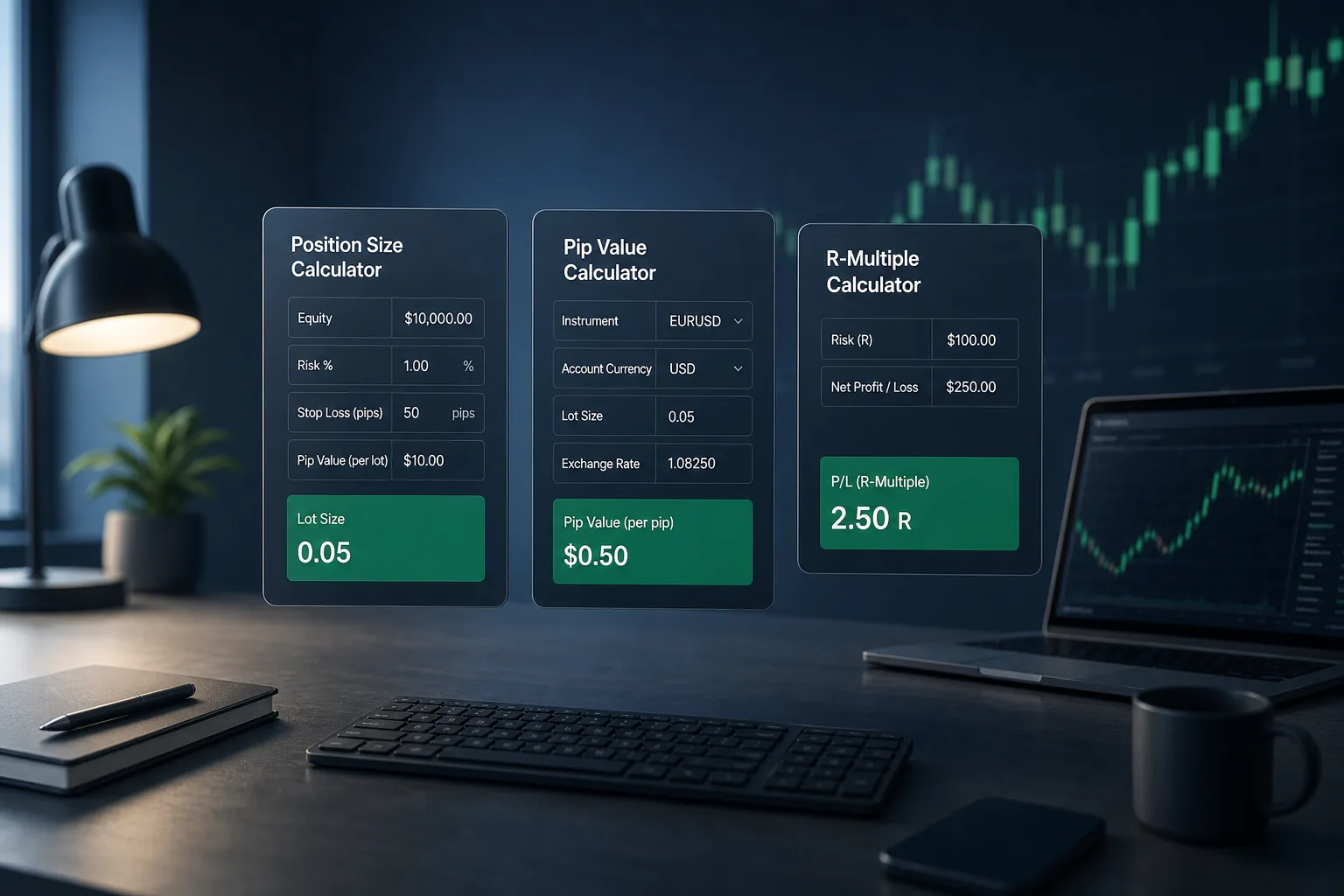
- Use the lot calculator first: risk % + stop distance → lot size
- Confirm pip value on non-USD pairs and gold before you trust a dollar risk figure
- Run the P/L calculator to preview R-multiples after fees and spread
- Never size up because leverage “allows” it — leverage is capacity, not a target
- Round lots down to the broker’s step size (often 0.01)
- Quick Decision Framework
- Short Answer
- Detailed Explanation
- Example
- Common Mistake
- Professional Tip
- TL;DR — Three Tools, One Workflow
- Why This Handbook Exists
- Tool 1 — Lot Size Calculator (Detailed Usage)
- What each field means
- Step-by-step (EUR/USD example)
- How to use the result on the platform
- Lot calculator checklist
- Tool 2 — Pip Value Calculator (Detailed Usage)
- When you need it
- Field-by-field
- Worked intuition
- Connect pip value back to risk
- Tool 3 — Profit / Loss Calculator (Detailed Usage)
- Purpose
- Suggested inputs
- Example narrative
- What the P/L tool is not
- Combined Pre-Trade Workflow (10 Minutes)
- Common Errors These Calculators Catch
- Risk Warning
Quick Decision Framework#
Short Answer
Open the lot calculator with equity, risk percent and stop distance; confirm pip value on that pair; then run the profit/loss calculator to preview reward versus risk before you send the order. Leverage is capacity, not a target. Round lots down to the broker’s step (often 0.01).
Detailed Explanation
The workflow is one chain. Lot size comes from risk percent and stop distance, not from “what the margin allows.” Pip value on non-USD pairs and on gold must be checked or the dollar risk is fiction. The P/L tool previews R-multiples after a spread/fee assumption so you do not take a 0.6R winner that looked like 2R on a clean chart. Never size up because 1:500 leverage still shows free margin. If the calculator says 0.047, you trade 0.04 — you do not round up.
Example
Equity $2,000, risk 1% ($20), stop 40 pips, EUR/USD at about $10 per pip per standard lot: lot ≈ $20 ÷ (40 × $10) = 0.05. If the P/L preview to the next resistance is only 25 pips after spread, the trade is 0.6R — you either skip it or accept that math before you click.
Common Mistake
Typing the lot first because “0.10 feels normal,” then discovering the 40-pip stop is $40 on a $2,000 account (2%). The calculator was meant to run before the ticket, not after.
Professional Tip
For the next live order, fill lot calculator first, pip-value second, P/L third. If any tool is for a different pair than the ticket, stop and re-enter the symbol.
TL;DR — Three Tools, One Workflow#
Short Answer
Open the lot calculator with equity, risk %, and stop distance; verify pip value on the pair; then use the profit/loss calculator to preview reward vs risk before placing the order.
Common Mistake
Confirm pip value on non-USD pairs and gold before you trust a dollar risk figure
Professional Tip
Run the P/L calculator to preview R-multiples after fees and spread
| Order | Tool | Job |
|---|---|---|
| 1 | Lot size calculator | Turns risk % + stop into a lot size |
| 2 | Pip value calculator | Confirms what one pip is worth in your account currency |
| 3 | Profit/loss calculator | Previews win/loss dollars and R-multiples |
If you only remember one rule: define risk first, estimate reward second. Calculators do not replace a stop loss — they make the stop honest.
Why This Handbook Exists#
Concept articles explain what a pip or lot is. This page explains how to operate ForexTradeLab’s free tools so each input maps to a real decision.
Related deep reads if you need theory first:
- Position size & lot calculator guide
- What is a pip and pip value
- Forex risk management guide
- How to set stop loss and take profit
All tools live on the trading tools hub.
Tool 1 — Lot Size Calculator (Detailed Usage)#
Open: Lot Size Calculator
What each field means#
| Field | Enter | Common mistake |
|---|---|---|
| Account equity | Balance + open P&L | Using deposit peak after losses |
| Risk % | 0.5–1% for most beginners | Typing 5% because “leverage is high” |
| Stop distance (pips) | Chart-based stop | Shrinking the stop to fit a preferred lot |
| Pair / pip value | Pair or confirmed pip value | Ignoring JPY / gold differences |
Step-by-step (EUR/USD example)#
- Equity: $2,000
- Risk: 1% → $20 maximum loss
- Stop: 40 pips below structure
- Assume ~$10 / pip / standard lot on EUR/USD (USD account)
- Lot ≈
$20 / (40 × $10)= 0.05
Round down to your broker’s step (often 0.01). Prefer 0.05 over 0.051 if the platform truncates oddly.
How to use the result on the platform#
- Copy the lot size into MT4/MT5 volume.
- Place the same stop distance you entered in the calculator.
- If the chart stop changes, re-run the calculator — do not keep the old lot.
For gold-specific sizing nuance, see gold lot size calculation (XAU/USD). For the “what is a lot” vocabulary layer: what is a lot in forex.
Lot calculator checklist#
- Equity is current, not historical high
- Risk % matches your written rules
- Stop comes from the chart, not from greed
- Lot rounded down
- Demo-tested the same workflow once this week
Tool 2 — Pip Value Calculator (Detailed Usage)#
Open: Pip Value Calculator
When you need it#
Use it whenever pip value is not the textbook $10/lot case:
- USD/JPY and other JPY pairs
- Crosses (EUR/GBP, AUD/NZD)
- Gold / silver / indices where “pip” vs “point” naming differs
- Account currency not USD
Field-by-field#
| Input | Tip |
|---|---|
| Instrument | Pick the exact symbol your broker lists |
| Lot size | Use the lot you plan to trade (e.g. 0.10) |
| Account currency | Match your account base currency |
| Price (if required) | Use a recent mid price for JPY/cross math |
Worked intuition#
If 1.00 lot on EUR/USD ≈ $10 per pip, then 0.10 lot ≈ $1 per pip. The pip calculator prevents you from assuming that ratio on every market.
Connect pip value back to risk#
Dollar risk ≈ stop pips × pip value for your lot.
If that number exceeds your risk budget, shrink the lot in the lot calculator — do not “hope” the stop holds.
Core concepts refresher: spread, swap, lot, pip lesson.
Tool 3 — Profit / Loss Calculator (Detailed Usage)#
Open: Profit/Loss Calculator
Purpose#
After you know lot size and stop, estimate:
- Loss if stopped out
- Profit if take-profit is hit
- Reward:risk (R-multiple)
Suggested inputs#
| Field | Source |
|---|---|
| Direction | Long / short from your plan |
| Entry | Planned entry (or average if scaling) |
| Stop | Same price used for lot sizing |
| Take profit | Structure-based TP — not a fantasy multiple |
| Lot size | Output from the lot calculator |
| Spread / commission (if available) | Rough cost so R isn’t overstated |
Example narrative#
- Entry: 1.0800 long EUR/USD
- Stop: 1.0760 (40 pips)
- TP: 1.0880 (80 pips)
- Lot: 0.05
Approximate risk ≈ 40 × $0.50 = $20 (if $1/pip at 0.05). Approximate reward ≈ 80 × $0.50 = $40 → about 2R before costs.
If spread + commission eats 2–3 pips, true R is slightly lower — the calculator’s job is to keep you honest.
What the P/L tool is not#
- Not a signal
- Not a guarantee of fill prices
- Not a substitute for ATR-based stop thinking when volatility expands
Combined Pre-Trade Workflow (10 Minutes)#
- Mark invalidation (stop) on the chart.
- Open lot calculator → get volume.
- Confirm pip value with pip calculator if the pair is non-simple.
- Preview R with P/L calculator.
- Check news risk on the economic calendar — if a red event is minutes away, wait.
- Optional: sanity-check quote conversion on the currency converter when account currency ≠ quote currency.
- Place the order with the same stop/TP you modelled.
For a fuller beginner path: demo to real account roadmap.
Common Errors These Calculators Catch#
| Error | What happens | Fix |
|---|---|---|
| Fixed 0.10 lot on every trade | Risk jumps when stops widen | Recalculate every trade |
| Ignoring gold point value | Oversizing XAU | Use pip + lot tools together |
| Using max leverage as position size | Blow-up risk | Cap by risk %, not margin |
| TP without cost awareness | “2R” that is really 1.6R | Include spread in P/L estimate |
Risk Warning#
Forex and CFDs are leveraged products. You can lose most or all of your capital. Calculators are educational estimates only. Read the risk disclaimer and our broker review methodology before opening any live account.

Comments
Add a useful note for other traders. We review comments before publishing.