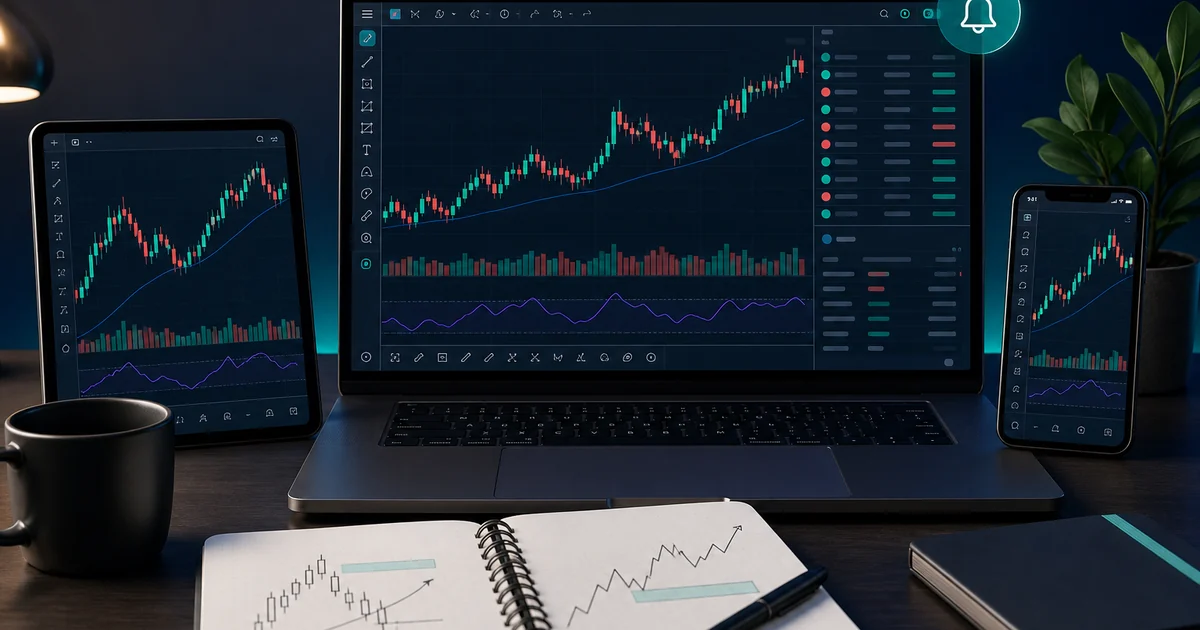
- TradingView is primarily an analysis and charting platform, not a broker by default
- Its strongest benefits are clean charts, alerts, watchlists, Pine Script and multi-asset context
- Broker execution from TradingView depends on supported integrations and region
- Paper trading is useful for practice but does not reproduce live emotion or every execution condition
- TradingView helps process; it does not create edge by itself

Quick Answer#
TradingView is a charting, market-analysis and trader-community platform available on web, desktop and mobile. Forex traders use it to read charts, draw levels, set alerts, follow watchlists, write or use Pine Script indicators, test ideas, and practice through paper trading.
TradingView is useful, but it is not magic. It is not a broker by default, it does not guarantee profitable signals, and it does not replace a regulated broker, risk management, or a trading journal.
For most beginners, the best setup is:
- TradingView for charts, alerts and analysis.
- Demo or paper trading for practice.
- A verified broker platform for live execution if direct TradingView execution is not supported.
- Strict risk rules before any live trade.
Compare it with MT4 vs MT5, best forex platforms, and paper trading vs demo account.
Risk warning: TradingView can improve analysis workflow, but tools do not remove market risk. Public scripts, community ideas and backtests can be wrong or overfit. This article is educational, not financial advice.
What TradingView Is#
Short Answer
TradingView is an analysis-first platform for charts, alerts, scripts, screeners, news, markets and trading workflows.
Detailed Explanation
TradingView started as a browser-based charting platform and became a broad market-analysis ecosystem. Its official features include advanced charts, multiple chart types, drawing tools, built-in indicators, community scripts, alerts, paper trading, screeners, economic data, broker connections and mobile/desktop access.
For forex traders, the main value is not that TradingView "knows" where EUR/USD will go. The value is workflow. You can build watchlists, compare currency pairs, mark support and resistance, set alerts, overlay related markets, and review ideas without installing a classic broker terminal.
Example
A beginner tracks EUR/USD, GBP/USD, USD/JPY, XAU/USD and DXY on one watchlist, marks key levels, and sets an alert instead of staring at candles all day.
Common Mistake
Thinking a better-looking chart automatically creates a better trading decision.
Professional Tip
Use TradingView to reduce noise: fewer pairs, fewer indicators, cleaner alerts, clearer journal screenshots.
What TradingView Is Not#
Short Answer: TradingView is not a guaranteed signal engine, not a broker by default, and not a substitute for risk management.
Detailed Explanation: Beginners often confuse a platform with an edge. TradingView can show beautiful charts and thousands of public indicators, but the trader still has to decide what market to trade, where the idea is invalid, what lot size fits the account, and whether execution costs make sense.
TradingView also does not automatically mean you can place live forex orders. Some brokers connect through TradingView, but support varies by broker, account entity, instrument and country. If your broker is not supported, you may analyze on TradingView and execute on MT4, MT5, cTrader or the broker's own platform.
Example: Using TradingView to mark a breakout and then executing through MT5 can be perfectly normal. The chart platform and the execution platform do not have to be the same tool.
Common Mistake: Assuming every broker, account type or region supports one-click trading from TradingView.
Professional Tip: Separate three questions: What does the chart say? What does the broker charge to execute? How much can I lose if wrong?
Main Benefits for Forex Traders#
Short Answer: TradingView is strongest for visual analysis, alerts, multi-market context and organized chart workflow.
Detailed Explanation: The biggest benefits are practical. Charts are clean and accessible from different devices. Alerts can reduce screen addiction by notifying you when price reaches a level or condition. Watchlists make it easier to monitor major pairs and related markets. Drawing tools help map support, resistance, trendlines, sessions and ranges. Pine Script allows advanced users to create custom indicators or strategies.
TradingView also helps forex traders think beyond one pair. For example, a USD trader can watch DXY, EUR/USD, gold, yields or economic events in the same research workflow.
Example: A swing trader marks weekly levels on EUR/USD, sets alerts near those zones, and checks the chart only when price approaches a planned area.
Common Mistake: Using alerts to chase every movement instead of waiting for planned areas.
Professional Tip: Create alert names that include the action: "EUR/USD at resistance - review, do not auto-enter."
Limitations and Downsides#
Short Answer: TradingView can become noisy, expensive or misleading if used without rules.
Detailed Explanation: The free tier may be enough for basic learning, but active traders may want more alerts, layouts or advanced features. Paid plans can be useful, yet software cost should make sense relative to account size. A beginner with a tiny account does not need to buy every tool before learning risk control.
Community scripts are another risk. Some are helpful, some are educational, and some are curve-fitted or poorly explained. A public indicator with impressive screenshots is not proof of live trading edge.
Example: A trader adds six indicators from public scripts, receives conflicting signals, and starts blaming the platform. The real problem is no written strategy.
Common Mistake: Believing "popular script" means "profitable script."
Professional Tip: Do not pay for a plan or script until you know which feature solves a real workflow problem.
TradingView vs MetaTrader#
Short Answer: TradingView is often better for charting and alerts; MetaTrader is often more available for broker execution and EAs.
Detailed Explanation: MetaTrader 4 and MetaTrader 5 remain common because many forex brokers support them. They are practical for account execution, Expert Advisors, broker statements and legacy tools. TradingView often feels more modern for charting, drawing, layouts, alerts and cross-market research.
Many traders use both. TradingView answers the analysis question. MetaTrader, cTrader or the broker app answers the execution question.
Example: A trader analyzes XAU/USD on TradingView, sets a price alert, then opens the actual order on MT5 after checking spread and lot size.
Common Mistake: Switching platforms because of aesthetics while ignoring broker cost and regulation.
Professional Tip: Choose the platform stack, not just the platform: charting, alerts, execution, journal and risk calculator.
Does TradingView Help You Make Money?#
Short Answer: TradingView can help your process, but it does not make a trader profitable by itself.
Detailed Explanation: The right question is not "does TradingView work?" It is "does TradingView help me make better, more consistent decisions?" It can help if you use it to plan levels, wait for alerts, avoid random entries, test ideas, and document screenshots. It hurts if you use it to chase public signals, overtrade, or believe that more indicators equal more certainty.
Profitability still comes from market understanding, risk control, execution quality, emotional discipline and enough sample size to evaluate a strategy.
Example: Trader A uses TradingView to set alerts and avoid impulsive entries. Trader B scrolls public ideas and enters every chart that looks exciting. Same platform, different outcome.
Common Mistake: Blaming TradingView after losing trades caused by oversizing or no stop-loss.
Professional Tip: Judge TradingView by whether it reduces bad trades, not by whether one indicator predicted one move.
Beginner Setup Checklist#
Short Answer: Start simple: watchlist, clean chart, one or two tools, alerts, paper practice and a journal.
Detailed Explanation: For month one:
- Add only a few markets: EUR/USD, GBP/USD, USD/JPY, XAU/USD and DXY if relevant.
- Use candles, one moving average and support/resistance lines.
- Create price alerts for planned zones.
- Use paper trading before live execution.
- Save screenshots before and after each trade idea.
- Avoid public scripts until you can explain your own rules.
- Verify broker execution separately.
Example: "EUR/USD alert at resistance, check spread, wait for rejection candle, risk 1%, screenshot before entry." That is a workflow. "Someone posted a script signal" is not.
Common Mistake: Turning TradingView into entertainment instead of a decision system.
Professional Tip: Your TradingView layout should be so simple that you can explain every object on the chart in one sentence.
Bottom Line#
TradingView is one of the most useful charting and analysis tools for forex traders, especially beginners who need clean charts, alerts, watchlists and practice. But it is a tool, not an edge by itself. Use it to make your process clearer, then let risk management decide whether any trade is worth taking.
Next read best forex trading platforms, forex indicators for beginners, paper trading vs demo account, and TradingView broker integration checks.
Comments
Add a useful note for other traders. We review comments before publishing.