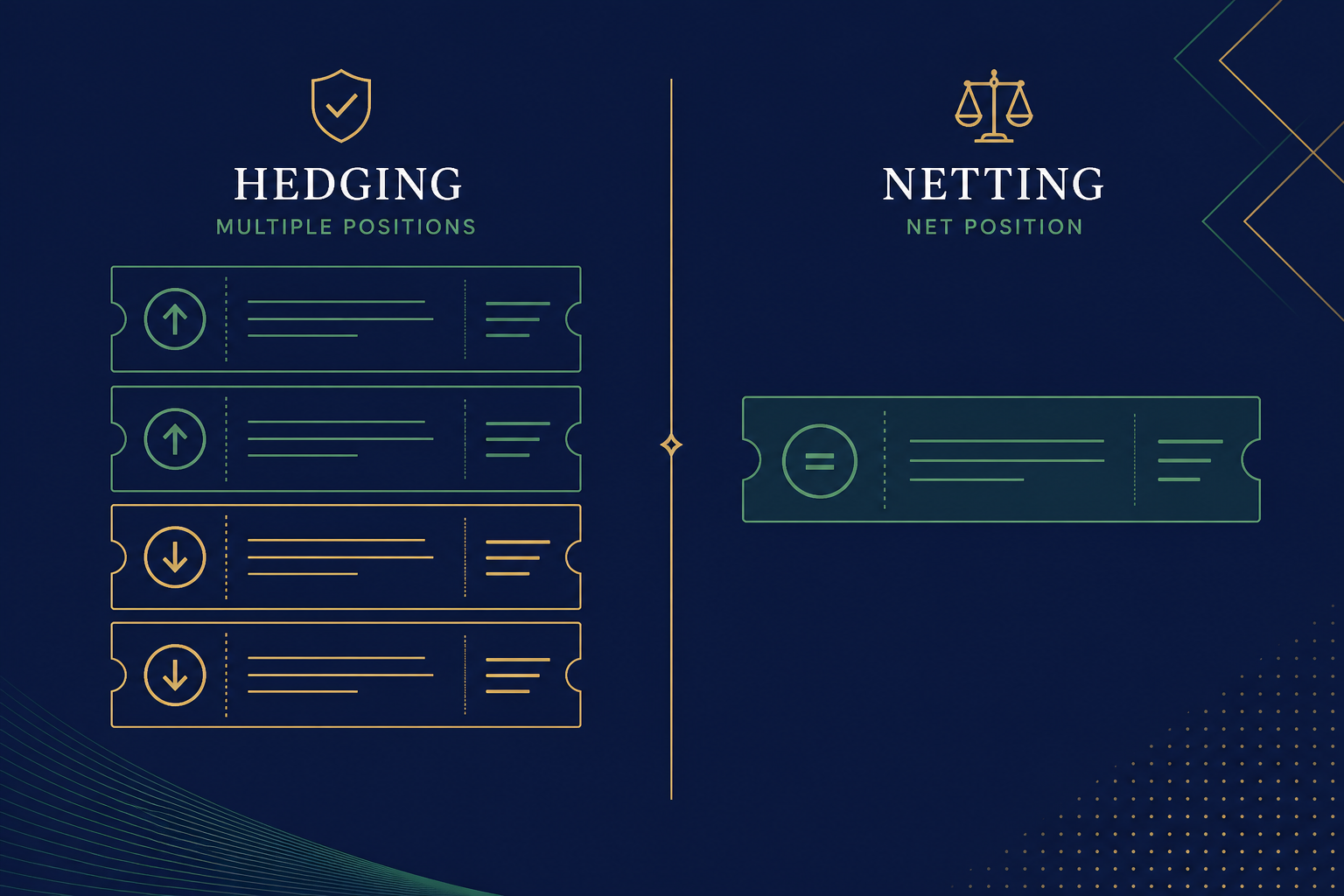
- Netting keeps one position per symbol; opposite deals reduce, close or reverse it
- Hedging can stack multiple tickets on the same symbol, including opposite directions
- The accounting system is set on the account by the broker, not by an indicator
- Stops, close commands and margin math differ between the two modes
- Locking opposite tickets is not the same as cancelling market risk or trading cost

Quick Answer#
A netting account can hold one open position per symbol. Extra buys add volume. Sells reduce, close or reverse that same position.
A hedging account can hold several independent positions on the same symbol, including a buy and a sell at the same time.
The system is chosen by the broker for that login. It is not a chart colour, an EA setting, or something you flip in Indicators.
Risk warning: Forex and CFDs are leveraged. Opposite tickets do not cancel spread, swap, slippage or stop-out risk. Read our disclaimer and affiliate disclosure. This page is education, not personal advice.
1. Why This Mix-Up Wrecks Live Accounts#
Short Answer
Traders lose money when they treat a netting account as if it were hedging: they “hedge” a loser and instead close or reverse the original trade.
Detailed Explanation
MetaTrader 5 Help describes two position accounting systems: netting and hedging. Which one you get depends on the account, assigned by the broker.
That sounds like a platform footnote. It is not. It decides whether a second click is:
- a second ticket, or
- a change to the only ticket that exists.
If you learned YouTube “lock the trade” on a hedging demo, then funded a netting live account, the first opposite order will not freeze P&L. It will eat the original position.
Connect this to forex hedging strategies (the idea of offsetting risk) and MT4 vs MT5 (the platform that hosts the account). Accounting mode is the missing third piece.
Example
You buy 0.20 lots EUR/USD on netting. Price moves against you. You sell 0.20 lots “to hedge.” The platform reports no EUR/USD position. You did not lock; you closed.
On hedging, the same two deals usually show two tickets. Net exposure can be near zero, but both tickets still exist until you close them.
Common Mistake
Calling the result a “broker glitch.” It is usually the documented netting rule: opposite volume on the same symbol changes the single position.
Professional Tip
Write the mode on a sticky note on the monitor: NETTING = one position per symbol. Test it on demo before any live “hedge.”
2. Netting: One Position, Weighted Average, Reverse Possible#
Short Answer
Netting keeps one position per symbol. Same-way deals grow it. Opposite deals shrink, close or reverse it if the new volume is larger.
Detailed Explanation
MetaQuotes’ netting rules are mechanical:
- Same direction → volume increases.
- Opposite, smaller volume → position shrinks.
- Opposite, equal volume → position closes.
- Opposite, larger volume → position reverses into the new direction.
It does not matter whether the opposite deal came from a market order or a triggered pending order. The symbol’s net result is what remains.
Stops on a netting position apply to that one position. If you scale in, you are changing volume and often the average price, not opening a second independent thesis with its own stop.
For margin behaviour after the position changes, use balance, equity, free margin and margin level rather than guessing from the P&L colour.
Example
Netting account, EUR/USD:
| Step | Deal | Resulting position |
|---|---|---|
| 1 | Buy 0.10 | Long 0.10 |
| 2 | Buy 0.10 | Long 0.20 (average price updates) |
| 3 | Sell 0.05 | Long 0.15 |
| 4 | Sell 0.20 | Short 0.05 (reversal) |
Common Mistake
Placing a sell-stop “as insurance” on the same symbol and being shocked when it closes the long instead of sitting as a separate hedge.
Professional Tip
On netting, treat pending orders on a symbol you already hold as position modifiers, not as a second book. If you need a true second book, you need a hedging login — if your entity offers one.
3. Hedging: Multiple Tickets, Explicit Close#
Short Answer
Hedging lets you open another position on the same symbol without automatically changing the first one. Closing is done ticket by ticket, not by hoping an opposite market order “cancels” a specific row.
Detailed Explanation
On hedging, a new deal adds a position. Your previous ticket does not absorb it.
MetaQuotes also notes behavioural differences that matter in real use:
- Stop-loss and take-profit inheritance rules differ from netting.
- Closing is typically an explicit Close Position (or close-by) on that ticket.
- You cannot “reverse” a hedging position the netting way; excess opposite volume closes the old position and opens a new one for the remainder.
- Some brokers expose hedged margin, which can be lower than the sum of both sides — still not zero cost.
This is why “I bought and sold the same pair” can look fine on hedging and catastrophic on netting.
Strategy articles that assume you can hold long and short together only apply if this login is hedging. See forex hedging strategies for when an offset even makes economic sense (usually rarely for beginners).
Example
Hedging account: buy 0.10 EUR/USD at 1.0850, later sell 0.10 at 1.0820. The Trade tab shows two positions. Net pip exposure may be near zero, but you still have two spreads, two possible swaps, and two close actions.
Common Mistake
Leaving a lock on for days because it “stops the loss.” The loss is already in the tickets. You are now paying to keep both sides open. If the thesis is dead, close both and take the realised result.
Professional Tip
If you use hedging at all, name each ticket in your journal (thesis A, event hedge, scale-in). Unlabelled locks become unmanageable fast.
4. How to Check Your Mode Before You Fund#
Short Answer
Do not guess from marketing copy. Test two opposite deals on demo with the same account type, or ask the broker which accounting system that login uses.
Detailed Explanation
The Help file is explicit: the system depends on the account and is set by the broker. Members Area screens sometimes say “hedging allowed.” Sometimes they do not. The Trade tab after a two-deal test is the ground truth.
MT4 retail books historically behave like multiple tickets. MT5 is the platform where netting vs hedging is a live design choice. If you switch from MT4 to MT5, re-test. Do not copy your old click sequence.
Use a demo account with the same leverage band and symbol list you intend to trade live.
Example
Quiet London morning, demo:
- Buy 0.01 EUR/USD.
- Immediately sell 0.01 EUR/USD.
- Screenshot the Trade tab.
One row or empty symbol → netting. Two rows → hedging.
Common Mistake
Testing on a different account type than you will fund (for example, a hedging demo and a netting raw account).
Professional Tip
Save the screenshot in your onboarding folder next to KYC documents. Future-you will not remember which login is which.
5. Margin, Stops and “Locked” P&L#
Short Answer
A lock is not a closed trade. Margin, stops and overnight financing still follow the broker’s specification.
Detailed Explanation
On netting, there is nothing to lock: the opposite deal already changed the position.
On hedging, both tickets remain. Some entities charge hedged margin instead of full margin on both sides. That can look “cheap.” It does not remove:
- spread paid twice
- swap on each remaining ticket
- stop-out if the net margin maths still fail
- execution risk if you try to unwind during news
ESMA’s 2018 CFD measures exist because retail leverage and close-out mechanics hurt accounts. Accounting mode does not override those realities.
For order-type behaviour (market vs pending), see market vs limit orders. For survival maths, see margin call and stop-out.
Example
Hedging lock on gold during a US CPI print: both tickets may survive, but spreads can gap. Unwinding two tickets in a fast book can cost more than closing the original loser before the release.
Common Mistake
Using a lock to avoid admitting a bad trade. That is psychology, not risk management. See emotional pitfalls.
Professional Tip
If you cannot explain in one sentence when and how you will remove the hedge, you do not have a hedge. You have two open costs.
6. Which Mode Should a Beginner Choose?#
Short Answer
Most beginners should prefer netting or a single-ticket habit: one idea, one stop, one close. Hedging mode is a tool, not a safety feature.
Detailed Explanation
| Need | Better fit |
|---|---|
| One thesis per pair, clean journal | Netting, or hedging used as if it were netting |
| Scale in / scale out on one average | Netting is natural |
| Separate tickets with separate stops | Hedging |
| “Lock” a loser instead of closing | Neither — close the loser |
| EA that opens opposite hedges | Must match the EA’s required mode |
Availability is entity-specific. XM, Exness and other groups may offer different defaults by platform and legal entity. Confirm in the Members Area before you deposit.
If you open an XM account, optional partner code FXTRD does not change whether the login is hedging or netting. Mode is an account property; the code is attribution only.
Example
A swing trader who holds one EUR/USD idea at a time gains nothing from hedging mode except extra ways to confuse the Trade tab.
A discretionary trader who scales three longs with three stops needs hedging (or a different workflow), and must still size the combined risk. Use the lot size calculator.
Common Mistake
Choosing hedging because a signal seller said “always hedge news.” News still moves both tickets. See the economic calendar and news risk calculator.
Professional Tip
Default to one open risk unit per symbol until you can journal combined exposure without looking at the platform.
Checklist#
- Confirm account mode with a two-deal demo test, not a forum screenshot.
- If netting, treat opposite orders as close/reverse instructions.
- If hedging, close tickets explicitly; do not assume a market sell closes a chosen buy.
- Size combined exposure, not the pretty net pip count on a lock.
- Do not hold locks through events you cannot supervise.
- Match Expert Advisors to the same accounting system they were built for.
- Re-test after switching MT4 to MT5 or changing account type.
Glossary#
- Netting: One open position per symbol; opposite deals change that position.
- Hedging (account mode): Multiple independent positions allowed on one symbol.
- Reverse: On netting, opposite volume larger than the position flips direction.
- Hedged margin: Broker margin rule that may charge less than the sum of both sides on a lock — still not free.
- Ticket / position ID: The row you must close on a hedging account.
- Close by: Platform command that can close two opposite hedging tickets against each other where the broker enables it.
Related reading#
- MT4 vs MT5
- Forex hedging strategies
- Balance, equity and margin level
- Order types
- Risk management guide
- Broker server time vs your clock
Qualified next step: If you need a live login to test mode on the same entity you will fund, open it on demo first. XM accounts can start from a low minimum where available; use partner code FXTRD only if you choose that broker, and verify hedging vs netting in that specific account. CFD trading can lose more than you expect; never deposit money you cannot afford to lose.
Comments
Add a useful note for other traders. We review comments before publishing.